 * Nemo version (5.0.4)
 * Distribution - (Mint 20.2)
 * 64 bit
Issue
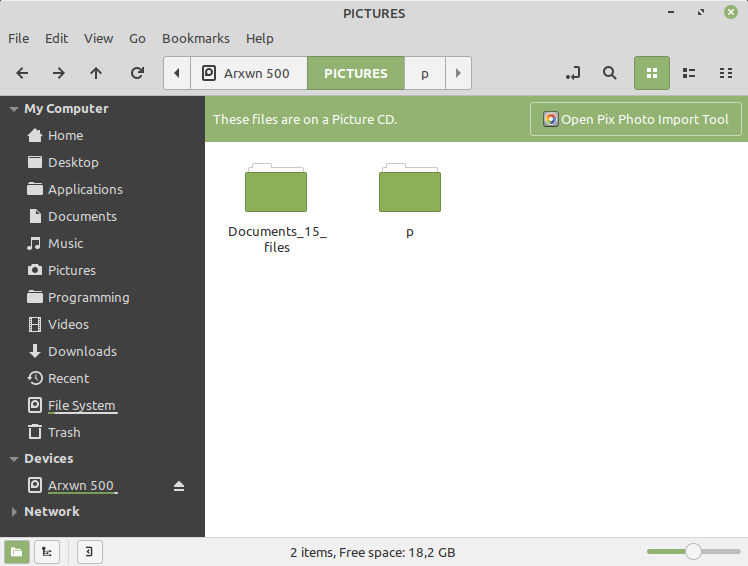
When we mount a disk that contains pictures, music, and various stuff the Nemo always displays a green bar saying: "These files are on a Picture CD. Open Pix Photo Import Tool"
The problem is that there is no way to remove - close that bar. Even if you press the button "Open Pix Photo Import Tool"
It is very annoying as it stays there always in any sub folder.
It should be a way to remove it on the fly ( and of-course not reappear after navigating into sub-folders ) AND an option in settings not to display it at all.
Issue
When we mount a disk that contains pictures, music, and various stuff the Nemo always displays a green bar saying: "These files are on a Picture CD. Open Pix Photo Import Tool"
The problem is that there is no way to remove - close that bar. Even if you press the button "Open Pix Photo Import Tool"
It is very annoying as it stays there always in any sub folder.
It should be a way to remove it on the fly ( and of-course not reappear after navigating into sub-folders ) AND an option in settings not to display it at all.