
Gaden is a gas dispersion simulator! This repo contains the backend core library, which can just be used directly in your C++ or Python project, or accessed through the ROS and GUI frontends.
See the tutorial for basic info on the data types that this library defines and how to use them.
If you use gaden in your research, you can use the following bib citation:
@ARTICLE{gaden-rt-2025,
    author = {Ojeda, Pepe and Monroy, Javier and Gonzalez-Jimenez, Javier},
     title = {Gaden-RT: A Real Time and Interactive Gas Dispersion Simulator for Mobile Robotics},
   journal = {SoftwareX},
    volume = {32},
      year = {2025},
      issn = {2352-7110},
       url = {https://www.sciencedirect.com/science/article/pii/S2352711025003541},
       doi = {10.1016/j.softx.2025.102388}
}
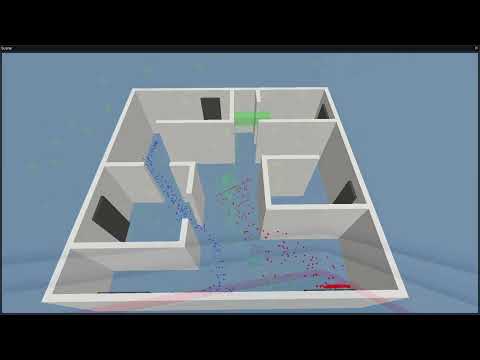
If you plan to use one of the frontends, don't download this repo separately. Instead, follow the instructions in the corresponding repo.
If you are going to use the library directly, clone the repo with
git clone --recursive git@github.com:MAPIRlab/gaden_core.git
You can then build the project as follows:
mkdir build
cd build
cmake ..
make
You can use gaden in a C++ project with CMake as follows:
add_subdirectory([path]/gaden_core)
add_executable([your_exec])
target_link_libraries([your_exec] gaden)
You can generate Python bindings for the gaden core library with cppyy. To generate them, simply enable the corresponding option in the CMakeLists.txt before building.
Creating these bindings requires setting up some dependencies first:
pip install wheel
pip install cppyy
pip install libclang
sudo apt install libclang-dev
When installing cppyy you might be prompted by a warning to add a specific path (like /home/[user]/.local/bin) to your PATH. You should listen to it!
If CMake complains about not being able to find libclang after the previous steps, you might need to manually create the libclang.so symlink:
# These steps are only required if CMake fails to find libclang.so
sudo apt install llvm
sudo ln -s $(llvm-config --prefix)/lib/libclang.so.1 $(llvm-config --prefix)/lib/libclang.so
See this folder.