

Stop explaining your screen to AI. MudrikNow is an open-source desktop AI agent that sees what you see — and answers, acts, or guides you step-by-step through any task.



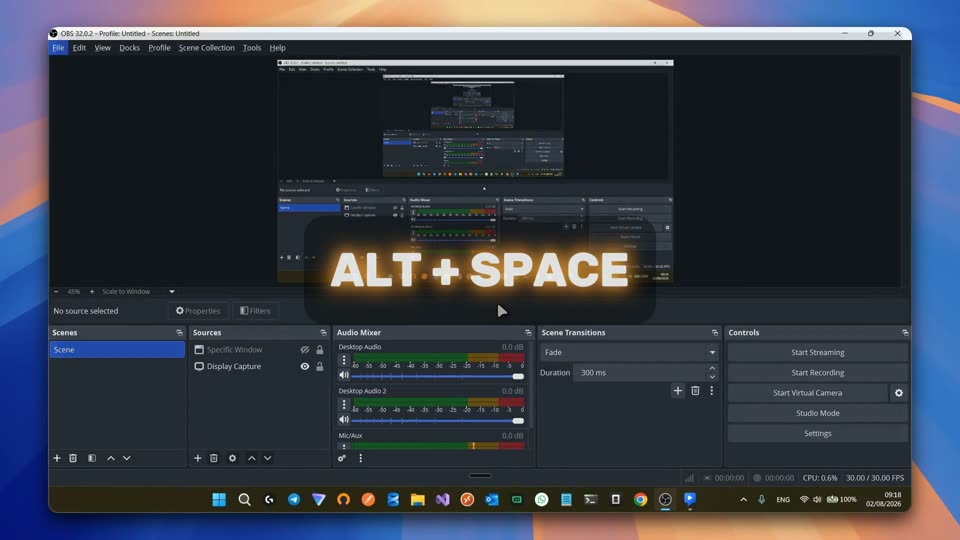
| ⚡ Instant Access Show MudrikNow instantly with a shortcut, whenever you need it. |
🪟 Less Context It understands what's on your screen, so you explain less. |
🎯 Any Task. Any Window. Get help and guidance through any task and any window. |
Trigger the hotkey and MudrikNow reads the full accessibility tree of your active window — every button, field, label, and value — and captures a full-screen screenshot with a coordinate grid. The tree gives precise automationIds + hidden metadata (deep text, off-screen state); the grid lets the model estimate coordinates when the tree is shallow (canvas, custom widgets, web content). It works across browsers, Office, IDEs, and native dialogs, then opens a floating panel anchored on the element you're hovering.
From there it's not just chat — it's an AI agent. Flip on Auto-Guide and it switches from doing to teaching: an owl pointer appears, lands on each target with a speech bubble, and walks you through the task one click at a time.
🌍 Currently Windows · macOS & Linux on the roadmap.
- Install Node.js ≥ 20.
- Install OpenCode (auth optional — keys can live in-app):
npm i -g opencode-ai
- Download the latest
.exefrom Releases and run it. - Connect your AI model. On first launch MudrikNow opens settings and highlights Add a model for you. Pick a provider, paste your key, click Verify, then choose a model. Any time: ⚙ → Model → Add a model.
💡 Multimodal (vision) model recommended — MudrikNow auto-captures a screenshot on every activation. For free/light use, Google Gemini Flash-Lite is a great pick (aistudio.google.com → API key).
Installer is unsigned — SmartScreen will warn on first launch. More info → Run anyway.
From source: git clone https://github.com/abdallahmagdy15/mudriknow && cd mudriknow && npm install && npm start
Windows build prerequisite:
npm installrequires Visual Studio with the "Desktop development with C++" workload (forrobotjsandkoffinative compilation). Node.js ≥ 20 LTS recommended. SeeAGENTS.mdfor full details.
Two global hotkeys put MudrikNow in front of you. Both are rebindable from the ⚙ menu.
| Shortcut | What happens |
|---|---|
Alt+Space |
Reads your active window's full UI and anchors on what you're pointing at. MudrikNow opens on the opposite side of your screen, ready to help. |
Alt+X |
Quick chat — opens the panel instantly without capturing context. For questions that don't need screen awareness. |
Esc |
Cancel: stops streaming or closes the panel. |
Enter |
Send prompt. Shift+Enter for newline. |
| 🦉 Auto-Guide | MudrikNow becomes a teacher: an owl cursor appears on screen, points to each target with a speech bubble, and walks you step‑by‑step through multi‑step UI tasks. Toggle in ⚙ settings. |
| 💬 Quick chat mode | Alt+X opens the panel without capturing context — for questions that don't need screen awareness. MudrikNow is always one keystroke away, even when you just need a quick answer. |
| 🔌 Any LLM | 140+ providers via OpenCode + models.dev — NVIDIA, Anthropic, OpenAI, Google, DeepSeek, OpenRouter, and more. Pick a provider, paste your key, and Verify it works before you trust it. Vision (multimodal) models recommended — MudrikNow auto-screenshots every activation; Google Gemini Flash-Lite is a great free pick. |
| 🔒 Sandboxed | Read-only shell for diagnostics — writes, deletes, and piping are blocked (violations kill the session). No filesystem writes. The AI reads files in your working directory and dispatches an allow-listed set of UI actions. That's the whole capability surface. |
Alt+Space (pointer)
  ↓  hotkey reads cursor position
  ↓  PowerShell UIA script — JSON tree of the active window
  ↓  full-screen screenshot + coordinate grid, captured every time
  ↓  MudrikNow opens on the opposite side of your screen, ready to chat

Alt+X (quick chat)
  ↓  panel opens instantly — no context capture
  ↓  for questions that don't need screen awareness

Send prompt
  ↓  streamed to `opencode run --agent readonly`
  ↓  tokens render live; <!--ACTION:{...}--> markers parsed
  ↓  actions execute via UIA or robotjs

Auto-Guide mode (opt-in via ⚙)
  ↓  AI emits guide_offer → user accepts
  ↓  owl cursor appears with speech bubble, panel hides
  ↓  owl points → user clicks → AI advances
  ↓  guide_complete → "Done!" → panel returns
Full architecture in AGENTS.md.
MudrikNow runs the AI in a sandbox with deliberately narrow capabilities:
| Capability | Exposed to the model? |
|---|---|
| Shell / PowerShell exec | 🟡 Read-only only (mutation/pipes blocked) |
| Filesystem write | ❌ No |
Filesystem read (read/grep/glob/list) |
✅ Yes (within working directory) |
| Windows UI Automation | ✅ Yes (pre-defined action set) |
| Keyboard / mouse | ✅ Yes (when UIA can't reach a target) |
| Screen pixels | ✅ Auto on every Alt+Space |
Full threat model + reporting in SECURITY.md.
Hi, I'm Abdullah Magdy.
A senior dev who got tired of explaining context to AI chats — so I built MudrikNow on nights and weekends. Open source so you can see (and improve) every line.
- 🐙 GitHub — @abdallahmagdy15
- 🐦 X / Twitter — @AbdallahMagdyy
- 💼 LinkedIn — abdallahmagdy15
- ✉️
abdallah.magdy1515@gmail.com
For security issues use GitHub Private Vulnerability Reporting (or email as fallback) — not public issues.
PRs welcome. MudrikNow is TypeScript end-to-end (main, preload, renderer, shared types) — the single source of truth for IPC channels, action types, and config shape lives in src/shared/types.ts.
Setup, build pipeline, and release flow in CONTRIBUTING.md. Code of Conduct in CODE_OF_CONDUCT.md.
- OpenCode — handles streaming, providers, auth so MudrikNow doesn't have to.
- Electron · React · robotjs · Windows UI Automation.
MIT — fork it, modify it, ship it, sell it. Just keep the copyright notice in the LICENSE file.