


Supermarket meets recipes.
$ cd picape
$ bin/setup
bin/setup: Install all dependencies and run the checks.mix check: Backend checks (format, credo, compile warnings, tests, sobelow).cd frontend && npm run check: Frontend checks (ESLint, Prettier, Jest).bin/e2e: Playwright screen tests on an iPhone profile against the fake stack.bin/phx/bin/phx --fake: Phoenix against your data and the live supermarket API, or against the seeded e2e database and the supermarket fake.bin/supermarket-fake,bin/supermarket-snapshot: Run the supermarket stand-in, or record fixtures from the live API.bin/ci: Everything GitHub Actions runs.
- Web: http://localhost:19006 (
cd frontend && npm run web) - API: http://localhost:4010/graphql
- GraphiQL: http://localhost:4010/graphiql
- MCP: http://localhost:4010/mcp
See AGENTS.md for the full harness.
/mcp hands an AI agent Picape as MCP tools. It lives inside this app and calls the Picape.* contexts directly, so there is no second deploy and no separate build.
It is a route in the Phoenix router, so it is up whenever the app is, on the database and the supermarket that app is using. It speaks Streamable HTTP without sessions: one JSON-RPC message per POST, one response per request, nothing held open between calls.
| Tool | What it does |
|---|---|
search_ingredients |
Search the ingredients Picape knows, by name |
search_supermarket |
Search the supermarket's product catalogue |
get_shopping_list |
Read the current order: items, quantities, totals, availability and the freeze state |
set_ingredient_quantity |
Put an ingredient on the list, change it, or remove it with quantity 0 |
add_ingredient |
Teach Picape an ingredient, backed by a supermarket product ID |
edit_ingredient |
Change an ingredient, for example onto another supermarket product |
set_ingredient_replacement |
Name the ingredient Picape orders instead when the supermarket cannot deliver this one |
list_recipes |
List recipes, optionally filtered on title |
get_recipe |
Read one recipe with its ingredients |
add_recipe |
Create a recipe with a title |
edit_recipe |
Replace a recipe's title, description, image and ingredient list |
plan_recipe |
Plan a recipe for the current order |
unplan_recipe |
Take a recipe off the current order |
mark_recipe_as_cooked |
Record that a recipe from the last order was cooked, like the app's "Gekookt" button |
recipe_history |
How often each recipe was planned, and how long ago that was |
ingredient_history |
How often each ingredient was bought, how long ago, and the days between buys |
seasonal_produce |
What is in season in the Netherlands this month, and which recipes use the most of it |
list_bonus_offers |
List the personal bonus offers for the week, with the ingredients they cover |
activate_bonus_offer |
Activate one personal bonus offer on the loyalty account |
Start the app with bin/phx, then add it to Claude Code:
claude mcp add --transport http picape http://localhost:4010/mcp
To add it to Claude Desktop, put this in ~/Library/Application Support/Claude/claude_desktop_config.json and restart the app:
{
  "mcpServers": {
    "picape": { "type": "http", "url": "http://localhost:4010/mcp" }
  }
}
To see what it answers without a client, post a request to it:
curl -s localhost:4010/mcp -H 'content-type: application/json' \
  -d '{"jsonrpc":"2.0","id":1,"method":"tools/list"}'
Notes on the tools:
- IDs are plain database IDs, not the Relay global IDs the GraphQL API hands out. The exception is
search_supermarket, whoseidis a supermarket product ID meant foradd_ingredientandedit_ingredient. - Picape has no recipe search, so
list_recipesfetches every recipe and filters on the title. - Picape cannot create a recipe with its ingredients in one call. Call
add_recipefirst, thenedit_recipe. edit_recipereplaces the whole ingredient list. Read the recipe first and send back every ingredient you want to keep.edit_ingredientis the other way round: it changes only the fields you send and leaves the rest, tags included. When the supermarket drops a product,search_ingredientsreports awarningandedit_ingredientmoves the ingredient onto a replacement product, which keeps the recipes that use it.set_ingredient_replacementis different from repointing an ingredient: the ingredient keeps its product, and sync orders the replacement's product only while the wanted one cannot be delivered. The cart row then says what it stands in for (substituted_for).get_shopping_listmarks products the supermarket cannot deliver right now withis_orderable: false;only_unavailable: truereturns just those. While the supermarket processes a paid order the answer'sis_placedis true and Picape freezes:set_ingredient_quantityandplan_recipestill record the intent, but nothing reaches the supermarket until the order is delivered.- There is no delete for recipes or ingredients.
- The two history tools read finished orders only, nine years of them. The order being planned now is not history yet, an ingredient taken off a list again was never bought, and a recipe that was unplanned again was never cooked, so none of the three count.
ingredient_historyreportsaverage_gap_daysnext totimes_bought_last_yearon purpose. A gap on its own cannot tell an ingredient that is due from one that was dropped: both sit far past it. An ingredient with a ten-day gap, last bought 538 days ago and bought zero times in the last year is not overdue, it is gone.mark_recipe_as_cookedwrites to the order that was last shopped, the same one the app's "Gekookt" button writes to. A recipe that was not on that order cannot be marked cooked on it; the reply'sis_cookedreports what the order holds afterwards.seasonal_produceanswers from a hand-written Dutch growing calendar inPicape.Seasonal, not from purchase history and not from the supermarket. It ranks every recipe that uses produce the calendar carries on in-season ingredients minus out-of-season ones. It only names produce whose Dutch season changes through the year, so an ingredient it does not name is unknown, not out of season.activate_bonus_offeris the one tool that writes outside Picape. It spends one of the week's activations on the loyalty account and cannot be undone, and/mcpis not authenticated. Ask before calling it.
Hosted on Fly.io — config in fly.toml, image built from the Dockerfile.
GitHub Actions deploys master after CI passes (deploy.yml). It needs the FLY_API_TOKEN repository secret:
fly tokens create deploy -x 999999h | gh secret set FLY_API_TOKEN
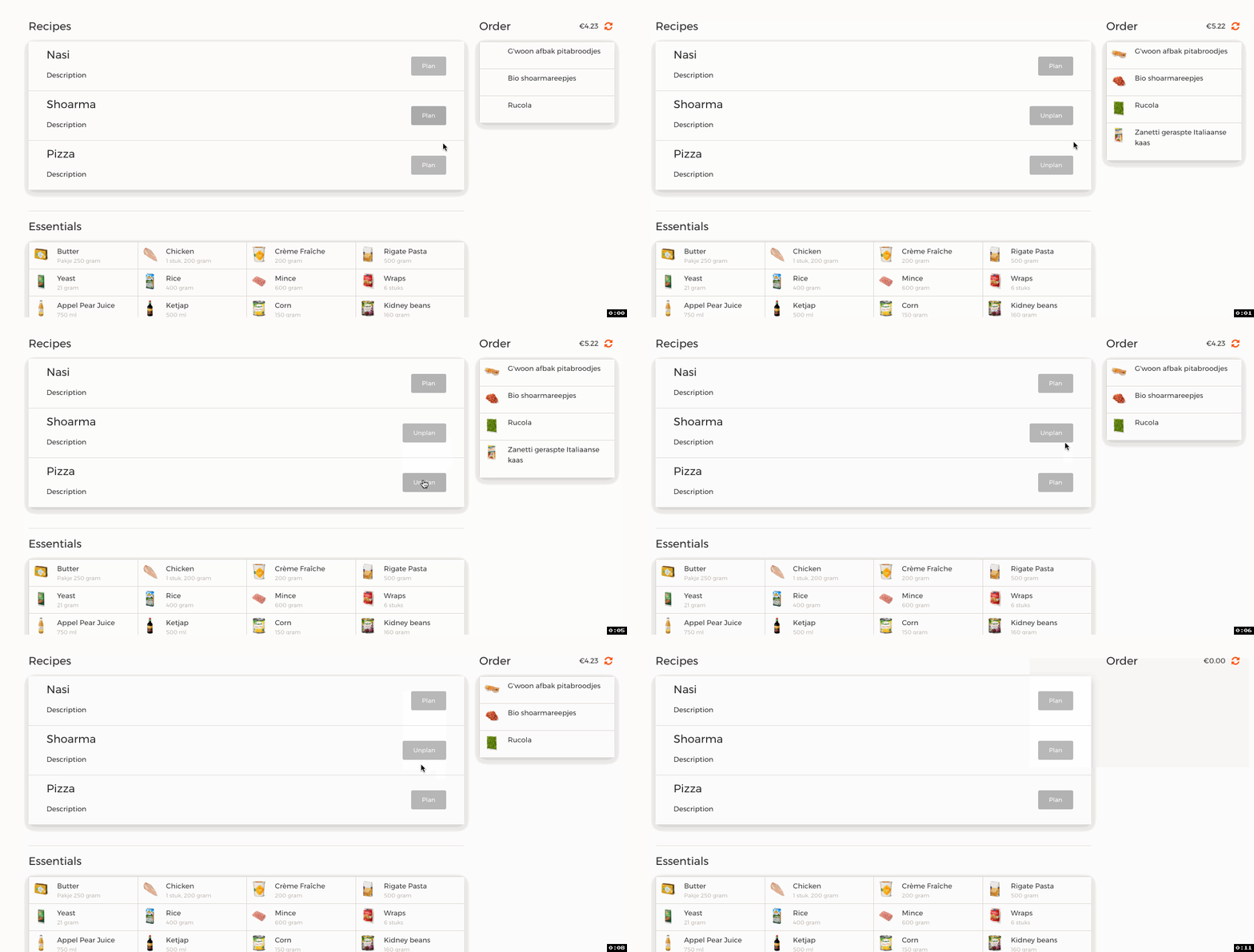
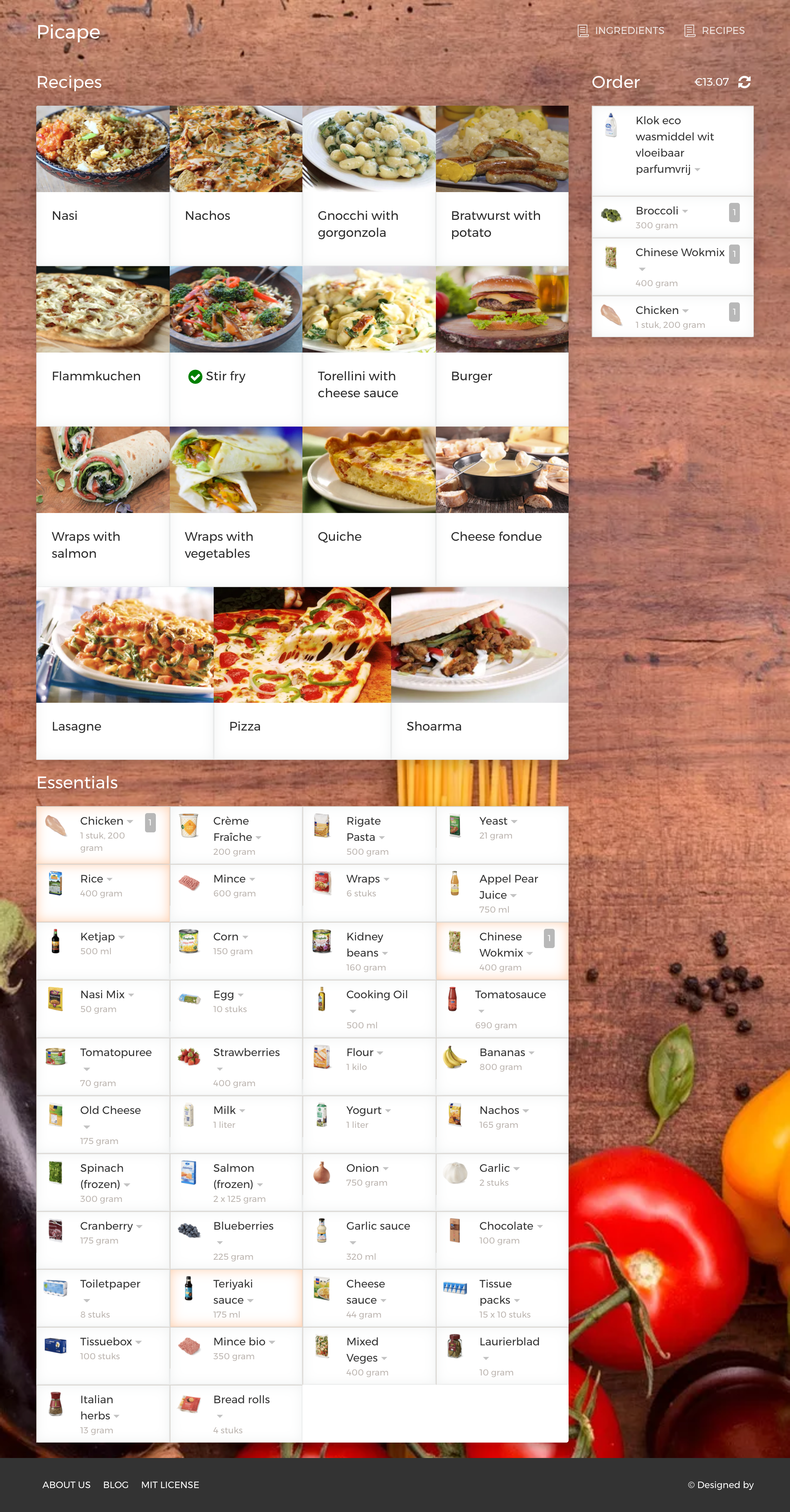 picapie-unplan
picapie-essentials
picapie-unplan
picapie-essentials

Generated using the Firebird template.