
A Django-based utility to migrate schemas and data from Snowflake to PostgreSQL.
This tool is particularly useful for cost reduction, faster local testing, and simplifying analytics pipelines by moving data from Snowflake (cloud-based) to a more affordable PostgreSQL setup.
- Cost Cutting: Reduce reliance on Snowflake for heavy queries and storage.
- Faster Development & Testing: Work locally with PostgreSQL without hitting Snowflake.
- Data Portability: Easily transfer schemas and data between environments.
- Selective Migration: Migrate entire schemas or specific tables.
python -m venv venv
source venv/bin/activate  # Linux/macOS
venv\Scripts\activate # Windowspip install -r requirements.txtCopy .env.example to .env and fill in your credentials. Example:
# Django
SECRET_KEY=''
DEBUG=True
ALLOWED_HOSTS=localhost,127.0.0.1

# Snowflake Credentials
SNOWFLAKE_USER=''
SNOWFLAKE_PASSWORD=''
SNOWFLAKE_ACCOUNT=''
SNOWFLAKE_URL=''
SNOWFLAKE_DATABASE=''
SNOWFLAKE_WAREHOUSE=''

# PostgreSQL Credentials
POSTGRES_USER=''
POSTGRES_PASSWORD=''
POSTGRES_HOST=''
POSTGRES_PORT=''
POSTGRES_DB='data_factory_ops'data_factory_ops with your own database name everywhere. Ensure both Snowflake and PostgreSQL users have appropriate permissions.
Full migration: creates tables and copies data.
python manage.py sf_migrate migrate --schema SOURCE_SCHEMA --target TARGET_SCHEMAInspect tables, columns, and row counts in a Snowflake schema.
python manage.py sf_migrate discover --schema SOURCE_SCHEMACreate tables in PostgreSQL without copying data.
python manage.py sf_migrate build --schema SOURCE_SCHEMA --target TARGET_SCHEMACopy data to existing tables in PostgreSQL.
python manage.py sf_migrate transfer --schema SOURCE_SCHEMA --target TARGET_SCHEMADelete a schema and all its tables in PostgreSQL.
python manage.py sf_migrate destroy --target TARGET_SCHEMA --forceCheck data integrity after a transfer. Compares Snowflake (source) against PostgreSQL (target) across multiple layers:
| Layer | Check | What it catches |
|---|---|---|
| 1 | Total row count | Missing batches, truncated transfers |
| 2 | Per-partition row counts (grouped by date) | Entire days missing, duplicate rows |
| 3 | NULL counts + MIN/MAX per column | Introduced NULLs, precision loss, type truncation |
| 4 | Aggregate sums of numeric columns per day | Corrupted values, floating-point errors |
| 5 | Row-level sample comparison (opt-in) | Field-level corruption, requires a primary key |
Layers 1–4 run by default. Layer 5 is enabled with --sample-size.
# Validate an entire schema
python manage.py sf_migrate validate --schema SOURCE_SCHEMA --target TARGET_SCHEMA

# Validate a single table
python manage.py sf_migrate validate --schema SOURCE_SCHEMA --target TARGET_SCHEMA --table TABLE_NAME

# Include row-level sampling (Layer 5) — requires a primary key on the table
python manage.py sf_migrate validate --schema SOURCE_SCHEMA --target TARGET_SCHEMA --table TABLE_NAME --sample-size 10000--table TABLE_NAME # Migrate, build, transfer, or validate a single table only
--batch-size 50000 # Larger batch = faster migration (default: 10,000)
--workers 4 # Transfer N tables in parallel, each with its own connection
--checkpoint FILE # Save progress to FILE; resume from exact row on restart
--where "COLUMN > 'val'" # Filter rows with a SQL WHERE clause
--limit 10000 # Limit number of rows transferred (useful for testing)
--sample-size 10000 # Row sample size for validate Layer 5 (default: 0 = skipped)
--dry-run # Preview without executing
--output file.sql # Save DDL to file
--force # Skip all confirmation and post-action prompts
--no-prompt # Skip post-action prompts only (verify / save logs)
--save-log # Always save log to file without prompting
--continue-on-error # Continue processing even if errors occur# Full migration
python manage.py sf_migrate migrate --schema N360DEV_PI --target n360dev_pi
# Fast migration — parallel workers, large batches, checkpoint for safety
python manage.py sf_migrate transfer \
--schema N360DEV_PI --target n360dev_pi \
--batch-size 50000 --workers 4 \
--checkpoint checkpoints/n360dev_pi.json \
--no-prompt --continue-on-error
# Rebuild schema from scratch
python manage.py sf_migrate destroy --target n360dev_pi --force
python manage.py sf_migrate migrate --schema N360DEV_PI --target n360dev_pi
# Build a single table
python manage.py sf_migrate build --schema N360DEV_PI --target n360dev_pi --table CUSTOMERS
# Transfer a single table
python manage.py sf_migrate transfer --schema N360DEV_PI --target n360dev_pi --table CUSTOMERS
# Transfer with a WHERE filter (useful for large tables)
python manage.py sf_migrate transfer --schema N360DEV_PI --target n360dev_pi --table TRANSACTIONS --where "CREATED_DATE >= '2025-01-01'"
# Test transfer with a row limit
python manage.py sf_migrate transfer --schema N360DEV_PI --target n360dev_pi --table TRANSACTIONS --limit 1000
# Preview DDL before executing
python manage.py sf_migrate build --schema N360DEV_PI --output /tmp/preview.sql
# Validate entire schema after transfer
python manage.py sf_migrate validate --schema N360DEV_PI --target n360dev_pi
# Validate a single large table
python manage.py sf_migrate validate --schema N360DEV_PI --target n360dev_pi --table TRANSACTIONS
# Validate with row-level sampling
python manage.py sf_migrate validate --schema N360DEV_PI --target n360dev_pi --table TRANSACTIONS --sample-size 10000After certain commands complete, the tool interactively offers two options:
| Command | Verify prompt | Save log prompt |
|---|---|---|
migrate |
✓ | ✓ |
transfer |
✓ | ✓ |
build |
- | ✓ |
validate |
- | ✓ |
build-views |
- | ✓ |
discover |
- | - |
destroy |
- | - |
Verify prompt — runs the full validate command inline so you can immediately confirm data integrity after a migration or transfer.
Save log prompt — writes the full terminal output to logs/{YYYYMMDD_HHMMSS}_{SCHEMA}/{action}.log in the current working directory. The log file includes the start/end time, schema names, and the exact command that was run.
logs/
└── 20260307_143022_MY_SCHEMA/
    └── migrate.log
To skip prompts but always save logs (recommended for long unattended runs):
python manage.py sf_migrate transfer --schema MY_SCHEMA --target my_schema --save-log --no-promptTo skip all prompts including log saving:
python manage.py sf_migrate migrate --schema MY_SCHEMA --target my_schema --no-promptTo skip all confirmations including the destroy confirmation:
python manage.py sf_migrate migrate --schema MY_SCHEMA --target my_schema --force--dry-run also suppresses all prompts since no real changes were made.
tmux new -s migration

python manage.py sf_migrate transfer \
  --schema YOUR_SCHEMA \
  --target your_schema \
  --batch-size 50000 \
  --workers 4 \
  --checkpoint checkpoints/your_schema.json \
  --save-log \
  --no-prompt \
--continue-on-error| Setting | Value | Why |
|---|---|---|
--batch-size |
50,000 | 5× fewer Snowflake round-trips vs default |
--workers |
4 | 4 tables transfer simultaneously |
--checkpoint |
always | Free insurance — resume from exact row if interrupted |
--save-log |
always | Full output written to logs/ automatically |
Expected duration: 2–4 hours depending on row width and network.
tmux new -s migration

python manage.py sf_migrate transfer \
  --schema YOUR_SCHEMA \
  --target your_schema \
  --batch-size 100000 \
  --workers 6 \
  --checkpoint checkpoints/your_schema.json \
  --save-log \
  --no-prompt \
--continue-on-error| Setting | Value | Why |
|---|---|---|
--batch-size |
100,000 | Maximum COPY throughput; each batch ~100–200 MB |
--workers |
6 | Match your Snowflake warehouse concurrency |
--checkpoint |
always | At this scale a single crash costs hours without it |
--save-log |
always | Full output written to logs/ automatically |
Expected duration: 1–3 days. The checkpoint means any crash, disconnect, or token expiry is survived — re-run the same command and it picks up exactly where it left off.
# Create a named session before starting
tmux new -s migration

# Run your transfer inside it
python manage.py sf_migrate transfer \
  --schema YOUR_SCHEMA \
  --target your_schema \
  --batch-size 50000 \
  --workers 4 \
  --checkpoint checkpoints/your_schema.json \
  --save-log \
  --no-prompt \
  --continue-on-error

# Detach — safe to close SSH, process keeps running
Ctrl+B  D

# SSH back in later and reattach
tmux attach -t migration

# List all running sessions
tmux ls

# Kill a session when done
tmux kill-session -t migration
If the process dies for any reason, re-run the exact same command in a new session. The --checkpoint file handles the rest — completed tables are skipped automatically.
If a transfer was interrupted without --checkpoint, you need to manually reconstruct the checkpoint from the terminal output.
Step 1 — Identify the partial table (the one mid-transfer when it died):
SELECT tablename, n_live_tup AS approx_rows
FROM   pg_stat_user_tables
WHERE  schemaname = 'your_target_schema'
ORDER  BY n_live_tup DESC
LIMIT  5;
Step 2 — Truncate the partial table:
TRUNCATE TABLE your_target_schema.the_partial_table;Step 3 — Get the full table list in transfer order:
python manage.py sf_migrate discover --schema YOUR_SCHEMA --format json \
  | python -c "
import json, sys
tables = [t['name'].lower() for t in json.load(sys.stdin)['tables']]
for i, t in enumerate(tables, 1):
    print(f'[{i:2}/{len(tables)}] {t}')
"
Step 4 — Create the checkpoint file listing only the fully completed tables:
{
  "schema": "YOUR_SCHEMA",
  "target": "your_target_schema",
  "completed": ["table_that_completed_1", "table_that_completed_2"],
  "in_progress": {}
}
Save as checkpoints/your_schema.json, then re-run with --checkpoint.
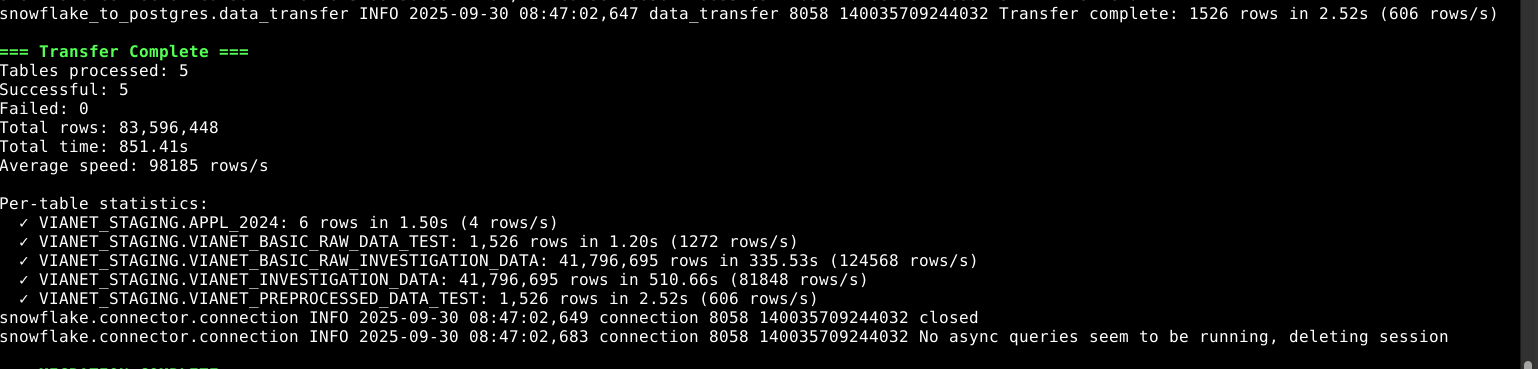
- Typical speed: 50,000 – 200,000 rows/second with
--batch-size 50000and--workers 4. - Default speed (no flags): ~10,000 – 50,000 rows/second.
- Tables
- Data
- Column types
- Constraints (primary keys, foreign keys)
Note: Views are migrated automatically (best-effort). Stored procedures require manual review.
Use the built-in validate command to confirm all records transferred correctly:
# Quick check — row counts, partition counts, column stats, aggregate sums
python manage.py sf_migrate validate --schema SOURCE_SCHEMA --target TARGET_SCHEMA

# Deep check — add row-level sampling (requires a primary key)
python manage.py sf_migrate validate --schema SOURCE_SCHEMA --target TARGET_SCHEMA --sample-size 10000
Or connect to PostgreSQL directly to inspect:
python manage.py dbshell --database data_factory_ops\dt your_schema.*
SELECT COUNT(*) FROM your_schema."TABLE_NAME";python manage.py sf_migrate --helpWith this setup, you can quickly migrate data from Snowflake to PostgreSQL, cut costs, and accelerate local development.