
REXA is an autonomous terminal agent harness engineered to understand software tasks, conduct external web research, reflect on tool plans prior to execution, safely modify codebases with automated verification, execute commands inside an isolated Docker sandbox, enforce dual-layer safety guardrails with entropy-based secret scanning, and retain explicit user preferences across sessions.


Warning
REXA is an autonomous agent harness with command execution and file modification capabilities. Review tool confirmations attentively and do not execute REXA against sensitive environments without inspecting permission settings and Docker container configurations.
- Overview
- How REXA works
- System architecture
- Orchestration and routing
- Specialized agents
- Execution modes
- Five core improvements
- Sessions and local commands
- Editing and conflict recovery
- Automatic verification and repair
- Local evaluation history
- Interactive terminal experience
- Available tools
- Docker sandbox environment
- Security and guardrails
- Persistent cloud memory
- Installation and setup
- Configuration and credentials
- LLM provider integration
- Current release and Cosmos roadmap
- Project structure
- Comparative analysis
- Troubleshooting
- Development and verification
- Contributing
- License
Modern software development requires balancing autonomous execution with safety and verification. REXA bridges conversational AI reasoning and production environments by providing:
- Intelligent multi-agent routing: Tasks are classified dynamically into direct conversational responses, local repository coding tasks, or combined research-and-code workflows.
- Autonomous web research: External documentation, release notes, and third-party APIs are researched prior to code modification without modifying local files.
- Planning and reflection: Plan mode enforces read/web-only tools. In act mode, proposed tool calls undergo a separate Gemini review before execution. This can identify mistakes or redundant actions, but does not guarantee their elimination.
- Sandboxed execution:
execute_commandruns inside Docker with CPU, memory, and PID limits. The separategit_commandtool runs/appGit operations on the host; permissions apply to both tools. - Guardrail validation: Input and output checks combine secret scanning with Gemini-backed classification. Some inputs take local shortcuts, and model-check failures have fallback behavior; this is not a guarantee that every response receives a successful model evaluation.
- Explicit persistent memory: Cross-session user preferences and development rules are stored securely through authenticated endpoints.
- Test, repair, and retest: Coding completions can trigger a separate debugging agent that creates or reuses relevant tests. The application executes them, requests bounded repairs, reruns checks, and reports recorded results.
- Conversation continuity: Workspace-scoped local sessions support resume, interruption recovery, and context compaction independently of cloud preference memory.
- Local evaluation history: Normal CLI tasks produce compact records of available outcomes, verification results, repairs, and activity. Compatible runs can be compared across revisions without introducing another testing or debugging pipeline.
When a prompt is submitted to REXA, orchestration selects a workflow and applies guardrail and tool checks. Model decisions and generated code still require verification:
User Input
    │
    ▼
[Input Guardrails] ──(Fails validation)──► Block request & return security rationale
    │ (Passes)
    ▼
[Supervisor Routing]
    ├── DIRECT ──────────► Stream direct conversational response (no tool overhead)
    ├── CODE_ONLY ───────► Forward request directly to Coding Agent
    ├── RESEARCH_ONLY ───► Read sources, validate the answer, and respond directly
    └── RESEARCH_AND_CODE► Execute Research Agent first ──► Synthesize brief ──► Coding Agent
                                                                                  │
    ┌─────────────────────────────────────────────────────────────────────────────┘
    ▼
[Coding Agent Execution Loop] (Up to 60 steps)
    │
    ├── 1. Generate candidate plan & tool calls via Gemini LLM model
    ├── 2. Perform plan reflection to validate tool relevance and safety
    ├── 3. Execute approved tool calls (Docker sandbox / verified file modifications)
    ├── 4. Ingest tool feedback and test outputs into context
    └── 5. Repeat until a completion candidate or step limit is reached
    │
    ▼
[Feature Verification] (act-mode coding work)
    ├── Debugging Agent prepares or reuses tests
    ├── Verification Runner executes permission-controlled checks
    ├── New failures → investigate → repair → rerun (bounded)
    └── Workflow records completion or a blocker
    │
    ▼
[Output Guardrails] ──(Detects secrets/violations)──► Block unsafe candidate
    │ (Safe)
    ▼
Final workspace-stability check → recorded verification report → terminal output
The CLI's evaluation tracker observes these workflows and saves a compact record after the task returns or throws. It also captures available direct/research-only outcomes. Recording does not generate tests, approve tools, or trigger repairs; storage failure warns without changing the task result.
The project is structured around modular subsystems separating CLI presentation, orchestration, agent execution, safety, and system tooling:
Terminal Interface (AgentCLI & AgentUI)
  │
  ├── EvaluationTracker (observes calls to the orchestrator)
  │     ├── EvaluationRecord (summaries and compatible-run comparisons)
  │     └── EvaluationStore (.rexa/past-evaluations/ and retention)
  │
  └── Orchestrator (src/orchestration/Orchestrator.ts)
        │
        ├── InputGuardrails (src/guardrails/input/InputGuardrails.ts)
        │     ├── Shannon Entropy Secret Scanner
        │     └── Gemini LLM model Safety Evaluation
        │
        ├── Supervisor (src/orchestration/Supervisor.ts)
        │     └── Route Decision (DIRECT | CODE_ONLY | RESEARCH_ONLY | RESEARCH_AND_CODE)
        │
        ├── ResearchAgent (src/agent/ResearchAgent.ts)
        │     └── search (source discovery) + read_url (exact page content)
        │
        └── Agent / Coding Agent (src/agent/Agent.ts)
              ├── Plan Reflection Layer (Gemini LLM model)
              ├── ToolRegistry & ToolDispatcher (mode, schema, permission checks)
              ├── ExecutionManager & Docker Sandbox
              ├── DebuggingAgent (src/agent/DebuggingAgent.ts)
              ├── VerificationWorkflow / VerificationRunner / VerificationResults
              └── OutputGuardrails (src/guardrails/output/OutputGuardrails.ts)
The orchestration subsystem coordinates message lifecycles, user safety checks, and routing decisions.
- Evaluates raw user input through
InputGuardrailsbefore triggering downstream models. - Emits real-time status callbacks (
thinking...,researching...,coding...). - Dispatches requests based on the decision returned by the
Supervisor. - Explicit URL-inspection requests take the
RESEARCH_ONLYroute in act mode and return a validated research answer without invoking the coding agent. - In
RESEARCH_AND_CODEworkflows, passes the original user request and a separate, bounded research-data message to the coding agent. Internal research does not pass through the 1,000-character user-input limit.
- Employs structured JSON schema enforcement via the Gemini LLM model to classify intent:
DIRECT: Informal inquiries, greetings, identity questions, or conversational exchanges. Returned without tool invocation using the custom agent persona.CODE_ONLY: Local repository modifications, bug fixes, refactoring, code explanation, file queries, and test executions where external research is unneeded.RESEARCH_ONLY: Website inspection, article summaries, comparisons, and external information requests without implementation.RESEARCH_AND_CODE: Tasks referencing modern frameworks, external SDK updates, breaking library changes, or unfamiliar third-party APIs.
- Explicit URL inspections have a local routing shortcut. Other requests use the supervisor, with a fallback if classification fails.
Defined in src/agent/ResearchAgent.ts, this agent acts as an autonomous external researcher.
- Strict boundaries: The research agent is strictly read-only and external. It cannot write files, delete code, execute shell commands, or modify Git state.
- Tools: Only
searchandread_url, with an allowlist enforced when executing calls. - Execution checks: Both supplied-URL reads and model-requested tool calls pass through
ToolDispatcherfor argument validation and permission checks. A denied supplied URL stops that research request; denied model tool calls are returned as rejected results. - Cancellation: The research loop checks cancellation and passes the signal to model generation and web retrieval, including HTTP, browser, Tavily, and LinkedIn operations. Cancelling prevents later research calls and fallback requests. A Bright Data collection already submitted may continue remotely; cancelling local polling does not cancel that provider job.
- Workflow: Reads up to three supplied URLs before asking the model to answer. Each request starts with fresh evidence. Failed retrieval of every supplied URL returns an explicit limitation rather than an invented page summary.
- Output: Information-only requests return the research answer directly. Implementation requests pass research to the coding agent as untrusted source data, bounded to 40,000 characters.
Defined in src/agent/Agent.ts, this agent serves as the autonomous software engineer.
- Context gathering: Discovers files with
glob_files, searches withsearch_code, and reads numbered source ranges withread_file. Compatibility tools remain available. - Pre-execution reflection: Uses a separate model pass to review proposed tool calls. Reflection can miss mistakes; execution also checks mode, argument schemas, permissions, and tool-specific constraints.
- File manipulation: Uses
code_toolfor creates, writes, targeted edits, and deletes, with whole-file hash checks, batch validation, and checkpoints. Multi-file writes are not an operating-system atomic transaction. - Iterative feedback: Can run tests and builds via
execute_command, inspect results, and revise changes within the step limit. Test selection and solution correctness still depend on the model and the available checks.
Defined in src/agent/DebuggingAgent.ts, this agent inspects connected source files and the project's test setup, creates or reuses behavior-focused tests, and investigates recorded failures. It can read files and use code_tool; it cannot directly execute commands, install dependencies, deploy, or perform Git operations.
It submits coverage, test commands, findings, and blockers through submit_debugging. The verification runner executes commands through the normal dispatcher and permissions. A repair always leads to another test run. The workflow decides whether another repair is needed, checks are conclusive, or completion is blocked. See automatic verification and repair for limits.
REXA supports two operational modes toggled interactively with the Tab key:
| Mode | Key behavior | Tool availability | Best used for |
|---|---|---|---|
| Plan | Inspects the repository and public sources, then proposes steps, affected areas, risks, and verification. | Only tools marked read or web; edit, command, external, and unclassified tools are blocked. |
Investigation, architectural design, planning, and code reviews. |
| Act | Investigates and implements according to the request. | Registered tools, subject to permission and tool-specific checks. | Research, implementation, bug fixing, and test running. |
ToolDispatcher filters the model's available tools and checks availability again during execution. Plan mode blocks command tools, including test commands; it uses dedicated reading and search tools for investigation. The CLI starts in act mode unless a resumed session restores plan mode.
Plan mode and the research agent reuse the same search and read_url implementations. Plan mode runs in the main agent, which can combine project inspection with public documentation. The separate research agent has only those two web tools and cannot inspect local project files. The two tool categories allowed in plan mode (read and web) do not mean it has only two tools.
For example, planning an authentication change can involve reading local routes and checking public authentication documentation in the main agent. In act mode, a research-only request can use the separate research agent; a research-and-code request gathers research before handing findings to the coding agent.
| Priority | Implementation | Practical benefit |
|---|---|---|
| 1. Project understanding | Ignore-aware file discovery, literal or regex code search, bounded numbered reads, and workspace path checks. | Gather relevant code with explicit paths and line numbers before editing. |
| 2. Enforced planning | Read/web tool allowlist enforced at dispatch. | Review a proposed approach while editing and command tools are unavailable. |
| 3. Controlled editing | Hash checks, batch validation, checkpoints, undo, and stale-file recovery. | Detect unseen changes and avoid blindly replaying outdated edits. |
| 4. Conversation continuity | Workspace-scoped sessions, resume commands, interruption handling, and context compaction. | Return to saved context without automatically replaying interrupted tool calls. |
| 5. Permissions and processes | Configurable approval rules, Docker commands, process handles, timeouts, cancellation, and child-process cleanup. | Review operations and manage running commands. |
These are implemented mechanisms, not evidence of parity with another coding agent. Real-task success, adequate testing, and preservation of user intent still need evaluation.
Start in the project directory. Conversations are stored locally under ~/.rexa/workspaces/<workspace-id>/sessions, where the workspace ID is derived from the absolute project path. This is separate from authenticated cloud preference memory.
rexa --continue
rexa --resume <session-id>
Inside the terminal, local commands are handled without sending the command itself to the model. /compact does make a model request to summarize older context.
| Command | Behavior |
|---|---|
/continue |
Resume the latest saved conversation for this workspace. |
/resume or /resume-chat [id] |
Choose a saved conversation, or resume the supplied ID. |
/new |
Start a new conversation in act mode and clear session permission grants. |
/compact |
Summarize older context while retaining recent turns and original user requests. |
/diff |
Show the latest checkpoint diff. |
/undo [checkpoint-id] |
Ask before restoring an eligible checkpoint; conflicting current edits prevent restoration. |
/permissions |
Display defaults, configured rules, and the session grant count. |
/ps |
List processes tracked by the sandbox process manager. |
/stop [process-id] |
Stop one tracked process, or all owned sandbox processes when no ID is supplied. |
/evaluation-task [name|auto] |
Name subsequent tasks for local history, or restore exact-prompt grouping. |
/evaluations [task-id] |
Show saved task summaries and compatible-run comparisons. |
/evaluation-baseline <run-id|clear> |
Protect one existing run for the current task, or clear its protection. |
/evaluation-retention [5-10:MiB] |
Show limits or set recent runs and the global record budget, for example 10:20. |
/help |
Show available local commands. |
An interrupted tool call with no recorded result has an unknown outcome. Resume records that uncertainty instead of replaying the call. Check the workspace before continuing. Process handles do not survive a Rexa restart.
Automatic compaction uses a character budget, not an exact model token count. Summaries can omit details. If compaction fails or cannot reduce the context enough, Rexa retains the original history and reports the failure.
See local evaluation history for saved task evidence, comparisons, and retention controls.
read_file returns numbered text and a SHA-256 hash of the entire file. The hash identifies the observed contents; it is not a backup and does not determine whether code is correct. Even a partial read hashes the whole eligible file. Internally, the reader loads the entire file before selecting output lines. It rejects directories, files larger than 2,000,000 bytes, and files containing a NUL byte as likely binary content. Default output is up to 200 lines within a 32,000-byte budget.
For existing-file operations, code_tool checks an explicit expected_hash or the hash remembered by the workspace reader. Every batch is prepared and validated before writing, and contents are rechecked during writes. Checkpoints retain before/after text for eligible changes.
For example, Rexa reads const count = 1;, then you add a comment. Its outdated edit is rejected. It must read the latest contents before preparing another edit; model instructions require reconsidering the original request and preserving unrelated changes.
| Conflict code | Meaning |
|---|---|
STALE_FILE |
The file changed compared with the expected contents. |
FRESH_READ_REQUIRED |
Recovery needs a newer nonempty read; an explicit hash alone cannot bypass it. |
STALE_RETRY_LIMIT |
The file has used its two recovery edit attempts in this user task. |
RECOVERY_CONFLICT |
Recovery or rollback could not safely finish; further code_tool edits are blocked for the task and the checkpoint is retained. |
Rereading and successful recoveries do not reset the per-file recovery budget. A new user task starts a new budget. Failed results are recorded before the model continues, and final responses include a notice for unresolved detected conflicts.
Cancellation stops recovery and attempts rollback if writing has started. Rollback and undo check current contents before restoring eligible files; they can refuse restoration rather than overwrite a conflicting change. Command checkpoints cover eligible project text files, not every command effect: ignored files, credentials, binaries, Git history, network effects, and private /workspace clones are outside that scope.
Fresh-read requirements and retry limits are enforced by code. Whether a revised edit is logically correct and whether its tests are adequate still depend on reasoning and verification. Approved commands remain outside this file-edit guard.
In act mode, Rexa hands coding work to a debugging agent before accepting completion. The debugging agent inspects the implementation and existing test framework, creates or reuses behavior-focused tests, and submits commands for the application to execute. If tests fail, it investigates the recorded failures and can repair the implementation. Every repair is followed by another run against the current code. Plan mode does not start this workflow. Research-only routes do not use it; documentation-only edits and unchanged conversations normally skip feature testing.
Implement feature → prepare relevant tests → run tests
                                             ↓
                              investigate failure and repair
                                             ↓
                                      rerun fixed code
                                             ↓
                                assess results and report
The verification directory contains three modules: VerificationWorkflow.ts coordinates stages and repair decisions; VerificationRunner.ts executes checks and observes workspace stability; VerificationResults.ts defines evidence and builds the report. src/agent/DebuggingAgent.ts performs repository inspection and editing. It has read/edit tools, not direct command, deployment, Git, or external-service tools. Commands proposed by it still pass through the normal command permission boundary. The agents edit sequentially.
No separate configuration file is required for task-specific testing. To supply optional baseline commands, configure a project-root rexa.verify.json:
{
  "version": 1,
  "checks": [
    {
      "name": "Type check",
      "command": "bun",
      "args": ["run", "typecheck"],
      "directory": ".",
      "timeoutMs": 60000
    },
    {
      "name": "Unit tests",
      "command": "bun",
      "args": ["test", "tests/unit"],
      "directory": ".",
      "timeoutMs": 60000
    }
  ]
}
This is an example, not a claim that every project has these scripts or directories. Use commands appropriate to your project. Check names must be unique. Up to ten checks are supported, with a maximum five-minute timeout per check. Directories are relative project directories, mapped to /app inside Docker. Every check uses the normal command permission system; dependencies and executables must already be available in that environment.
Without explicit configuration, baseline discovery uses packageManager or unambiguous lockfiles and selects existing typecheck, lint, test:ci, and test:run scripts. It skips discovered scripts containing watch or --fix options and does not automatically select plain test. The debugging agent can inspect the actual setup and select an appropriate finite test invocation. Invalid baseline configuration is reported. Missing frameworks or dependencies require a setup decision; the debugging agent cannot install them through a shell bypass.
The workflow requires recorded behavior coverage, existing test-file paths, and selected command names before running checks. It preserves discovered baseline commands alongside selected feature checks. The model chooses relevant coverage; file existence and command execution alone do not prove that a test exercises the intended behavior. Commands run sequentially. Baseline failures, denied checks, missing executables, timeouts, cancellation, and unstable results are recorded separately. Check execution shares a ten-minute accumulated command/approval-time budget per user task; exhausted budgets prevent scheduling additional checks.
Rexa can request up to two automatic repair rounds. A newly selected feature test can trigger repair without a previous passing baseline. Checks that already failed at baseline are kept separate; if those are the only failures, automatic repair stops. Debugging shares at most 30 model steps across preparation and repairs, limited further by the main agent's remaining step allowance. Instructions limit changes to the original request and preserve unrelated work. Normal permissions, stale-file checks, and checkpoints apply. A permission or recovery limit stops debugging. The repair budget is separate from stale-edit recovery limits.
Failures retain bounded original output and recognized file/line references where available. Assertion locations are clues, not confirmed implementation causes. Investigation findings are labeled as agent-authored. Selected commands and declared coverage stay fixed during repair. Changes to listed test files require an explanation; this requirement cannot mechanically prove that a revised test is correct or has not been weakened.
Denied, timed-out, cancelled, unavailable, or invalidated checks prevent automatic repair, even if another check reveals a new failure.
Verification stages, debugging messages, findings, and command outcomes are saved with sessions, including in-flight checks whose outcomes are not yet known. Resume retains historical evidence and requests fresh checks when the coding agent next runs in act mode; it does not replay interrupted calls. A deterministic summary accompanies the final answer. Blocked verification replaces an unverified completion claim with an incomplete-verification message and recorded results.
Source snapshots compare discovered, nonprotected, nonignored text files before and after checks, and again before the final report. Changes or owned unfinished background processes invalidate conclusive results. Snapshot limits are 2 MB per discovered file and 32 MB total; unsupported or inaccessible snapshots make verification unavailable. Binary content and ignored/protected files are outside the observed text scope. These observations are not an OS lock and cannot exclude every filesystem race or external effect.
Passing checks establish only what the selected commands test. A check failing both before and after changes does not prove that Rexa introduced no additional errors. Repair reasoning, test adequacy, and preservation of intent still require review; instructions against weakening checks are not a semantic guarantee.
Snapshots require ripgrep on the host PATH, even when checks run inside Docker. If the initial snapshot cannot be established, checks can return unavailable before a command is dispatched. Read the recorded detail for the underlying failure; unavailable is not a failed assertion. Snapshot errors retain bounded, sanitized diagnostics.
Evaluation helps developers inspect how REXA performed on normal tasks and compare recorded work across versions. The existing debugging agent and verification workflow still create tests, execute checks, investigate failures, repair code, and retest. Evaluation summarizes their evidence; it does not run a second checking pipeline.
Normal user task
    → existing orchestration, agents, and tools
    → existing verification/debugging/retest when applicable
    → compact local evaluation record
    → comparison with a selected baseline or latest run
    → retention cleanup
Enter these commands inside REXA's chat:
/evaluation-task authentication
Then submit your normal request, for example: “Fix authentication: valid sessions return 200; missing or invalid sessions return 401.” After it finishes, inspect the recorded outcome:
/evaluations
The history lists saved run IDs, outcomes, verification summaries, observed activity, version information, and comparison results. To protect one existing run as the reference for this task, use its actual ID:
/evaluation-baseline <run-id>
/evaluation-baseline clear removes that protection. /evaluation-task auto returns to grouping by the exact prompt. A named task remains selected for the current CLI instance until changed; records and baseline selections survive restart. Without an explicit name, exact prompts receive automatically generated task IDs. /evaluations <task-id> reads a specific task's history.
| Evidence | Current behavior |
|---|---|
| Task and configuration | Redacted prompt preview, requirement fingerprint, available starting-project fingerprint, REXA version/revision/source fingerprint, model settings, mode, runtime/platform, and known permission policy. |
| Task outcome | Returned response completion, verification blocker, observed guardrail blocker, error, or cancellation. Completion alone is not proof of correctness. |
| Verification | Baseline/first/latest command-check counts, repair rounds, referenced test files, declared behavior coverage, bounded failures/locations, test-change reasons, and labelled debugger-reported findings. |
| Activity | Duration, shared-provider requests/errors, observed tool failures/denials, guardrail blocks, and URL retrieval outcomes. |
| Source reference | Coding-session ID when emitted. Full transcripts remain in existing session storage; some routes have no session reference. |
An automatic comparison requires matching recorded requirements, starting project state, model/reasoning, mode, environment, known permission policy, route, and verification command plan. Different REXA revisions can be compared when those conditions match. Unknown or different context produces an explanation instead of automatic deltas. You must restore comparable starting conditions yourself; evaluation does not restore projects or repeat tasks.
Compatible records show changes in duration and shared-provider request counts, plus repair rounds and failed command checks when verification evidence exists. A negative time delta means less recorded time, not automatically better work. Repeat comparable tasks and review outcomes before attributing an improvement to an implementation change.
Records stay in the active project:
.rexa/past-evaluations/
├── .gitignore
├── settings.json                 # Written when settings are configured
└── authentication/
    ├── baseline.json             # Written when an existing run is selected
    └── <run-id>/
        └── record.json
The default is five recent unprotected runs per task, configurable from five through ten, plus one explicitly selected baseline. The default global budget is 20 MiB of managed record JSON, with a 64,000-byte per-record cap. Small metadata and temporary-write overhead are additional. For ten recent runs with the same budget:
/evaluation-retention 10:20
/evaluation-retention shows current settings. Older unprotected records are pruned after a successful save; the global budget can remove older unprotected records across tasks. Protected baselines are never silently deleted. If a record cannot fit alongside them, recording warns and leaves existing history intact. A nested ignore rule protects records in other Git repositories without rewriting their top-level .gitignore.
No complete project or full transcript is copied. Recording failure leaves the original task result unchanged. Corrupt files, unexpected contents, or symlinks may require manual inspection rather than automatic deletion.
These summaries are not independent proof of quality. Test-file counts are not scores, command-check counts are not individual assertion totals, and declared coverage/findings come from the debugger. Research factual accuracy and plan usefulness require review. Shared-provider counts exclude direct supervisor/guardrail calls; retries, token usage, and exact costs remain unknown. Matching metadata does not control every environmental influence or changing web content. No live performance gain or overall quality score is claimed.
See developer evaluation details for implementation responsibilities. The earlier scripted evaluations/ harness and eval:fixture command have been removed.
REXA delivers a focused developer experience directly in the terminal:
- Interactive composer: Built with custom terminal control sequences supporting multi-line input (
Shift+EnterorCtrl+J), immediate editing, and mode switching (Tab). - Status and output: Emits phase indicators and streams command output. Coding-agent response text is buffered until output validation; provider streaming support does not mean every response is displayed live.
- Formatted Markdown output: Parses and syntax-highlights Markdown tables, code blocks, bulleted lists, and diffs using specialized terminal renderers.
- Error classification: Translates raw network, provider, and container errors into clear, actionable advice using
ErrorTranslator.ts.
The following is an illustrative interaction, not output from a recorded test run:
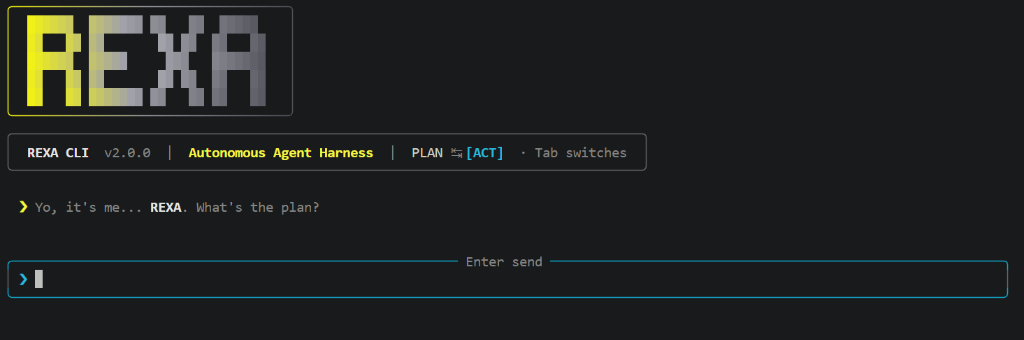
$ rexa
  > Yo, it's me... REXA. What's the plan?
  > Identify why user session validation fails and implement unit tests.
  [get_project_tree] running...
  [coding_context_tool] running... [src/auth/SessionManager.ts]
  [code_tool] running... [edit: src/auth/SessionManager.ts]
  [execute_command] running... [bun test tests/auth.test.ts]
  rexa · 14:22
  Resolved session validation by handling expired token boundaries.
  Verification report: selected checks and their recorded outcomes.
REXA registers repository, editing, command, web, and memory tools in src/index.ts:
| Tool name | Primary input parameters | Operational description |
|---|---|---|
git_command |
args, workdir |
Permission-controlled Git. /app paths run on the host with host credentials and configured hooks/helpers; /workspace operations and clones run in Docker. |
execute_command |
command, args, timeoutMs, workdir, background |
Permission-controlled executable invocation in Docker, with output, timeouts, and optional background handles. |
glob_files |
pattern, directory, cursor, limit |
Paginated file discovery respecting ignore rules and protected paths. |
search_code |
pattern, glob, directory, literal, cursor, max_results |
Bounded ripgrep text matches with paths and line numbers; literal search by default. |
read_file |
path, start_line, end_line, max_bytes |
Numbered source ranges with whole-file hash and continuation information. |
read_multiple_files |
paths |
Read up to ten files with per-file results or errors. |
coding_context_tool |
path, instruction |
Compatibility wrapper for a bounded numbered file read with a whole-file hash. Use read_file for explicit ranges. |
code_tool |
operation, path, content, changes, expected_hash, or an operations batch |
Creates, writes, edits, or deletes files with validation and checkpoints. Targeted changes support before, after, replace, and delete. |
get_project_tree |
Same pagination arguments as glob_files |
Compatibility name for paginated file listing. |
poll_process |
id |
Inspect background status and output; completed command results include checkpoint information. |
write_process |
id, input |
Send input to a running process, subject to command permission checks. |
stop_process |
id |
Stop an owned process and its container process group, subject to command permission checks. |
search |
query |
Discovers sources through Tavily or DuckDuckGo. Results are search snippets; exact URLs must be read separately. |
read_url |
url |
Retrieves exact page content with bounded redirects, readable HTML extraction, optional Chromium rendering, and Tavily extraction fallback. LinkedIn personal profile URLs use Bright Data to retrieve available profile fields. Returns retrieval status, source URLs, limitations, and content. |
save_memory |
text |
Persists explicit user preferences and development rules to the authenticated cloud memory service. |
search_memory |
query |
Retrieves authenticated cross-session preferences when explicit context recall is requested. |
ToolDispatcher validates arguments and applies PermissionService before execution. Reads and web tools default to allow; edits, commands, external operations, and tools with no effect classification default to ask. In a noninteractive terminal, an operation that still requires asking is denied.
Approval choices are Allow once, Allow this exact operation for this session, and Deny. Session grants match the tool and its complete validated arguments; they do not approve every invocation of an executable.
Optional rules live in ~/.rexa/workspaces/<workspace-id>/permissions.json:
{
  "rules": [
    { "effect": "read", "action": "allow" },
    { "effect": "command", "action": "ask" },
    { "tool": "code_tool", "path": "src/**", "action": "ask" }
  ]
}
Rules can match tool, effect, path, command, args, and workdir; actions are allow, ask, or deny. Later matching rules win. A path rule must match every path in an edit batch. An explicit deny takes precedence over a previously granted session approval.
execute_command accepts an executable name and an argument array, not a shell expression in command. This is argument validation, not a safe-executable whitelist: an approved interpreter or shell can perform broad actions. Clone-specific checks in CommandPolicy.ts constrain clone destinations to the private /workspace area.
File tools reject paths outside the active project, including symlink escapes. Protected paths include .git, node_modules, .rexa, .aws, .ssh, .env variants, and .pem/.key files; .env.example is allowed. These file-tool checks do not restrict approved commands.
execute_command runs inside a managed Docker container. Its writable project mount means approved commands can still change host project files:
- Base image:
ubuntu:22.04with pre-installed toolchains (Node.js,Bun,npm,Python 3,curl,git). - Isolation boundaries:
- Drops all Linux capabilities (
cap_drop: [ALL]). - Runs as an unprivileged user (
sandbox, UID1000:1000). - Default resource limits:
1 CPU,1GB RAM, and128 PIDs; CPU and memory are configurable. - Non-root working directories: host directory mounted to
/app; temporary clones isolated to/workspace.
- Drops all Linux capabilities (
- Lifecycle management:
ExecutionManager.tsprovisions containers on demand using a per-instance Compose project name (rexa_<pid>_<random-id>), stops commands on timeouts (default 60s, maximum 300s), and cleans up its container stack on normal CLI exit.
The container process supervisor is TypeScript running with Bun (src/tools/sandbox-supervisor.ts). It manages Linux process groups so completion, timeout, and cancellation also clean up descendants. Python remains an installed container tool; the supervisor no longer depends on Python.
The project mount at /app is writable and exposes files inside the mounted directory, including credentials stored there. Provider keys and the Docker socket are not injected by Compose. Container networking defaults to bridge; set REXA_SANDBOX_NETWORK=none to disable it. The separate git_command tool runs /app Git operations on the host, so not every tool invocation is container-isolated.
Security in REXA is integrated directly into the agent reasoning loop rather than treated as a peripheral filter:
- Input guardrails (
InputGuardrails.ts): Evaluates incoming prompts for prompt injection, jailbreaks, hidden instructions, and system prompt override attempts using the Gemini LLM model. Short conversational greetings bypass the model check for instant responsiveness. - Output guardrails (
OutputGuardrails.ts): Analyzes candidate agent outputs prior to terminal rendering. Suppresses unauthorized internal reasoning disclosures, schema leaks, or unsafe directives.
- Performs pattern matching for recognized secrets: JWT tokens, Stripe live/test keys, AWS access keys, generic API tokens, and variable assignments matching password patterns.
- Calculates Shannon entropy across alphanumeric character sequences of 16 characters or longer. Tokens with entropy exceeding
4.5are flagged as prospective secrets. - Redacts identified credentials in terminal output and debug logs using
[REDACTED].
- Direct requests reject local, private, and reserved IPv4/IPv6 addresses, check all DNS results, and pin connections to a validated address. Redirect destinations are revalidated; HTTPS downgrades are rejected.
- Downloads are bounded to 2 MB and extracted text to 30,000 characters per page. Retrieval reports truncation and partial access.
- Browser rendering uses a temporary Chromium context in a Node worker. Read-only HTTP requests pass through the same validated transport; service workers, websockets, and downloads are disabled.
- LinkedIn personal profile URLs are validated before being sent to Bright Data's fixed API endpoint. The account token is sent only to that endpoint, with redirects disabled. Returned profile URLs must match the requested profile.
- Public URLs are excluded from whole-string entropy scoring; credentials and suspicious query values remain checked.
Ask Check https://example.com and give me details. Act mode can route the request to the research agent; plan mode uses the main agent with read and web tools available, so it can also fetch public sources.
Static HTML, plain text, JSON, and GitHub README/file/issue/PR bodies are supported. GitHub comments, reviews, and diffs are not automatically retrieved. PDFs and other binary formats return an unsupported-format result. Login pages, access challenges, unavailable content, and partial extraction are reported explicitly.
For JavaScript-dependent pages, install the optional Chromium browser files:
bunx playwright install chromium --only-shellThe rendering fallback also requires Node.js 20 or newer. A missing browser does not prevent ordinary HTTP reads. An optional Tavily key enables provider-based extraction when rendering cannot obtain the content. Reading one page does not crawl the entire website.
LinkedIn personal profile URLs (linkedin.com/in/...) automatically use Bright Data's LinkedIn Profiles scraper when read. Configure an account API token as described in LinkedIn profile extraction. Users then share a profile URL and ask for its details; no copying text, browser login, or browser extension is needed. Company pages and posts use the ordinary page reader and may remain inaccessible.
Web workflow checks:
bun run test:web
bun run test:web:browser  # requires Chromium
bun run test:web:live # opt-in public-page retrieval; no model callsREXA features an explicit, account-backed memory architecture:
- Intended use: Tool descriptions instruct the agent to save only short facts or preferences the user explicitly asked it to remember, such as "Remember that this project uses Vitest instead of Jest".
- Execution boundary:
save_memoryandsearch_memoryare external-effect tools, require authentication, and follow permission rules. Their HTTP helpers reject empty input and input longer than 8,192 characters. Instructions against saving secrets or full conversations are not a separate semantic validator inMemoryTools.ts. - Search guidelines:
MemorySearchRules.tsinstructs the model when preferences or previous decisions are relevant. The client calls authenticated REXA endpoints; this repository does not establish the server's database or search implementation. - Separate local history: Saved conversations and checkpoints live under
~/.rexa/workspaces/<workspace-id>; they are not uploaded by the session store to cloud memory.
- Runtime: Bun (package engine requirement: version 1.1 or higher). The CLI uses Bun APIs; Node.js alone is not a replacement runtime.
- Repository discovery:
rg(ripgrep) on the host PATH. - Containerization: Docker Desktop running locally for command execution isolation.
- API key: An active Google Gemini API key.
- REXA authentication: Normal startup also requires a REXA CLI account token;
rexa loginopens the authentication setup. - Optional search provider: A Tavily API key for Tavily search and extraction fallback. Without it, search uses DuckDuckGo.
- Optional LinkedIn extraction: A Bright Data account API token with access to the LinkedIn Profiles scraper and available credits.
Install REXA globally via npm:
npm install -g rexa-agentClone the repository and install dependencies using Bun:
git clone https://github.com/subhamoydatta703/REXA.git
cd REXA
bun install
bun run typecheck
Launch the CLI:
bun run rexaYou can link the binary locally to make it accessible anywhere on your system:
bun linkREXA prioritizes secure credential storage. Sensitive values are stored in the operating system's native credential vault (Keychain on macOS, Credential Manager on Windows, Secret Service on Linux) via keytar, with encrypted fallback files using AES-256-GCM.
On interactive startup, after account authentication and required Gemini setup, Rexa offers optional Tavily and Bright Data setup for providers without an existing key or a completed setup decision. Package installation does not ask for these keys. Noninteractive execution skips the optional questions.
| Provider | Benefit | Without a key |
|---|---|---|
| Tavily | Tavily web search and page-extraction fallback. | Web search uses DuckDuckGo; Tavily extraction is unavailable. |
| Bright Data | Structured LinkedIn personal-profile extraction, subject to provider access and credits. | Personal-profile extraction reports that configuration is required. Ordinary page reading remains available for supported pages. |
Each question labels the key Optional, explains the benefit, and asks:
Would you like to enter a Tavily API key? [Y/N]:
Would you like to enter a Bright Data API key? [Y/N]:
Enter uppercase Y or N, then press Enter. Y opens masked key entry; N skips key entry. Empty responses, lowercase letters, and other answers are rejected. There is no default answer.
Rexa remembers an explicit N or a successfully saved key's setup completion independently for each provider in ~/.rexa/config.json. Existing environment or saved keys skip the corresponding prompt. You can add or replace keys later with the commands below. Empty or cancelled key entry does not save a key or complete setup; saving failures report a message and do not block startup. If saving the setup decision fails, Rexa warns that the question may appear again.
Setup stores keys without making a provider API call to validate them. Provider errors, access limits, and credit requirements are reported when the feature is used.
# Authenticate with your REXA cloud account
rexa login

# Remove saved authentication credentials
rexa logout

# Store your Gemini API key in the secure credential store
rexa config set-key

# Store an optional Tavily Search API key
rexa config set-tavily-key

# Store an optional Bright Data account API token for LinkedIn profile extraction
rexa config set-brightdata-key

# Launch REXA with customized step limits
rexa --max-steps 45-
Open Bright Data's LinkedIn Profiles scraper and ensure your account can use the LinkedIn people profiles scraper (
gd_l1viktl72bvl7bjuj0). Check current credits and pricing in your Bright Data account. -
Obtain your account API token from Bright Data Settings > Users/API keys. Playwright/Selenium connection URLs, Browser API zone usernames, and zone passwords are different credentials and do not work with this integration. The Browser, Web Unlocker, and SERP APIs are separate products.
-
Save the token using the masked prompt. For a source checkout:
bun run src/index.ts config set-brightdata-key
For a globally installed CLI, use
rexa config set-brightdata-key. The token uses the OS credential vault and encrypted configuration storage. Do not paste it into the agent chat. -
Start REXA with
bun run rexa(orrexafor a global installation), switch to act mode, and ask:Tell me about this LinkedIn page: https://www.linkedin.com/in/subhamoy-datta/
REXA submits the profile URL, polls the collection, downloads the structured result, and gives the retrieved details to Gemini to answer the question. Available fields can include name, position, location, about, current company, experience, education, skills, certifications, and projects. Fields depend on what the provider returns; missing data is not inferred.
Results include the source URL, provider, and retrieval time. They are marked partial because data can be missing or outdated; REXA does not claim to have read the entire page. Only matching personal profile URLs under /in/ use this integration. Private or unavailable profiles may yield no readable result.
No additional package or local browser setup is needed for this integration. Each read starts a collection and can consume Bright Data credits. The overall wait is capped at two minutes, with a 30-second timeout for individual API requests. A timed-out collection may continue at the provider and consume credits; a retry starts a new collection. See collection progress documentation.
Environment variables take precedence over credentials stored in the local vault:
| Variable | Description |
|---|---|
GEMINI_API_KEY |
Primary API key for the Gemini LLM model. |
GOOGLE_GEMINI_API_KEY |
Alternate Gemini key variable; GEMINI_API_KEY takes precedence. |
OPENAI_API_KEY |
OpenAI credential for provider configuration. Runtime adapter support is still pending. |
ANTHROPIC_API_KEY |
Anthropic/Claude credential for provider configuration. Runtime adapter support is still pending. |
GEMINI_GUARD_API_KEY |
Guardrail fallback when no explicit constructor key is supplied. Normal CLI startup passes the main Gemini key explicitly, which takes precedence. |
GEMINI_STREAMING_API_KEY |
Key for the separate GeminiStreaming.ts helper, falling back to GEMINI_API_KEY; it does not select the active coding provider's key. |
TVLY_API_KEY |
Optional Tavily search key for enhanced research queries. |
TAVILY_API_KEY |
Alternate Tavily key variable; TVLY_API_KEY takes precedence when both are set. |
BRIGHTDATA_API_KEY |
Bright Data account API token for LinkedIn personal profile extraction; overrides the saved token. Browser API connection credentials are not accepted. |
REXA_CLI_TOKEN |
Overrides the authenticated CLI web token. |
REXA_WORKSPACE |
Compose mount input when using Compose directly. The CLI's ExecutionManager supplies its constructor workspace, normally the launch directory, rather than accepting this variable as a CLI workspace override. |
REXA_SANDBOX_NETWORK |
Container network mode; defaults to bridge. Use none to disable networking. |
REXA_SANDBOX_CPUS |
Container CPU limit; defaults to 1. |
REXA_SANDBOX_MEMORY |
Container memory limit; defaults to 1G. |
REXA_CONFIG_KEY |
Custom 32-byte Base64 key for file-based configuration encryption. |
LOG_LEVEL |
Set to debug to enable verbose execution logs and stack traces. |
Cosmos Phase 2 adds secure credentials and saved defaults for Gemini, OpenAI, and Anthropic. Provider keys use the OS vault or encrypted-file storage; ordinary model/reasoning preferences are stored separately as fields in ~/.rexa/config.json. Existing credentials and optional API setup choices are preserved.
# Masked credential entry; claude is also accepted for anthropic
rexa config set-provider-key openai
rexa config set-provider-key anthropic

# Save a validated selection, prompting only for that provider's missing key
rexa config set-provider openai --model gpt-5 --reasoning high
rexa config set-provider claude

# Show preferences without credentials
rexa config show-provider

# Return to the currently supported runtime configuration
rexa config set-provider gemini --reasoning default
These commands configure future runtime support; they do not add working OpenAI or Claude adapters. Startup rejects an unavailable saved provider or unsupported Gemini override before login/key prompts, instead of silently using different settings. Existing rexa config set-key remains the Gemini credential command. Noninteractive configuration uses environment keys and fails with instructions if one is missing; masked input requires an interactive terminal.
Each provider remembers its last model/effort. Invalid settings are rejected before credential changes, cancelled/empty prompts do not change preferences, and failed saves retain the previous selection. Credentials are stored independently: if a new key saves successfully but the subsequent preference save fails, the key remains stored while the previous selection stays active. Setup validates storage and supported settings, not live API authentication.
| Configuration command | Current behavior |
|---|---|
rexa config set-provider-key <provider> |
Ask for a masked key and store it. Accepts gemini, openai, anthropic, or the claude alias; requires interactive input/output. |
rexa config set-provider <provider> [--model <id>] [--reasoning <level>] |
Validate and save global defaults, using that provider's remembered settings or its first catalog entry. Request only its missing key when interactive. |
rexa config show-provider |
Print saved active/remembered preferences without credentials. It does not query an API or confirm access. |
rexa config set-key [key] |
Existing Gemini key command; changing the key does not change the selected provider. |
These are shell commands, entered outside the chat. /provider, /model, and /reasoning are still planned chat commands. If show-provider has no active entry, normal startup uses the existing Gemini path. When changing models, an unsupported remembered effort resets to default; an explicitly unsupported --reasoning value is rejected.
Provider keys are resolved from environment variables first, then the OS vault, then the encrypted file. Gemini accepts GEMINI_API_KEY before GOOGLE_GEMINI_API_KEY; the other providers use OPENAI_API_KEY and ANTHROPIC_API_KEY. Successfully loaded or entered LLM keys are registered for exact redaction in the running process, including keys loaded from storage without environment export. This extends existing pattern-based redaction; it does not claim detection of every unknown secret.
REXA integrates with the Gemini LLM model through GeminiProvider.ts.
The active adapter in src/providers/gemini/ currently uses gemini-3.8-flash. This is not a guarantee that a user's API account can access it. Thinking configuration types and a separate streaming helper exist, but the active CLI has no model or reasoning selection menu. Supervision and guardrails still create Google clients directly.
Cosmos Phase 1 introduces provider-independent messages: tool calls have unique IDs and results refer to those IDs. The main, research, and debugging agents use that shared format. Gemini-specific conversion and signed continuation parts stay in gemini/GeminiProtocol.ts. Old saved Gemini conversations are converted in memory on load; original transcript records remain intact.
ProviderSettings.ts and ModelCatalog.ts validate provider/model/reasoning combinations. The initial verified catalog contains Gemini 3.8 Flash, GPT-5, and Claude Sonnet 4.6, with official sources and review dates. OpenAI and Claude entries are capability definitions, not working adapters or a recommendation of the newest model. Discovery uses an injected function, a bounded in-memory cache, cancellation, and catalog fallback; actual provider model-list calls and menus are future work.
- Structured function calling: Automatically converts Zod schema definitions into JSON schema declarations.
- Token streaming support: The provider supports token callbacks. The coding agent buffers response text until output validation before rendering it.
- Plan reflection: Invokes an isolated reflection pass prior to tool execution to evaluate whether candidate function calls align with user constraints.
- Error classification: Captures provider errors (including HTTP 429 quota exhaustion, HTTP 503 service unavailability, and context length limits) and converts them into structured user guidance.
The current package is rexa-agent version 2.1.0. The CLI's --version and terminal banner still hardcode 2.0.0; these displays are not yet aligned. REXA Cosmos is the planned release name, not evidence that a new package version has shipped.
| Capability | Current state |
|---|---|
| Repository discovery, planning, safe edits, checkpoints, sessions, and Docker processes | Implemented in the source; behavior remains subject to the documented limits and available checks. |
| Debugging agent and three-file verification workflow | Implemented, including test preparation, bounded repair, retesting, and recorded reports. |
| Optional Tavily and Bright Data setup | Implemented with explicit uppercase Y/N decisions. |
| Gemini coding provider | Implemented with a hardcoded model. |
| Shared messages, tool-call IDs, legacy transcript conversion, and model-capability validation | Implemented in Cosmos Phase 1. |
| Secure OpenAI/Anthropic credentials and saved defaults | Implemented in Cosmos Phase 2, including provider-aware config commands and exact-value credential redaction. |
| Local evaluation records, retention, baselines, and compatible-run comparisons | Implemented under src/evaluation/; observes normal CLI tasks and existing verification evidence. |
| Basic evaluation measurements | Duration and observed activity/deltas exist; complete usage accounting, reviewed quality measures, and repeated live performance studies remain pending. |
| Chronological evidence export and general noninteractive task execution | Planned; compact evaluation history does not provide either capability. |
| OpenAI and Anthropic/Claude providers | Planned; adapters and dependencies are not present. |
/provider, /model, and /reasoning |
Planned; not current commands. /model is intended to offer a reasoning submenu. |
| Per-session provider/model/effort and safe cross-provider session switching | Planned; current session records do not contain that selection. Global/per-provider preferences are already stored. |
Next in the original provider roadmap is Phase 3: implement OpenAI and Anthropic adapters and map validated model/reasoning settings into Gemini requests. Later phases connect the full task pipeline, add chat controls, and persist selections in sessions. In the evaluation/preparation work, compact history/comparison is implemented and chronological evidence export is next. Credential storage and global preference configuration are already available. See Developing Rexa.
This README describes the inspected source, including current uncommitted evaluation-history changes. It does not establish that those changes are merged into main or published on npm. The existing package/version displays and missing runtime adapters remain as described above.
.
├── src/
│   ├── index.ts                     # CLI entrypoint, command parsing, and subsystem initialization
│   ├── orchestration/
│   │   ├── Orchestrator.ts          # Main execution orchestrator and workflow manager
│   │   ├── Supervisor.ts            # Route classification model interface
│   │   └── SupervisorPrompt.ts      # Routing taxonomy prompt contracts
│   ├── agent/
│   │   ├── Agent.ts                 # Primary coding agent loop and tool execution
│   │   ├── ResearchAgent.ts         # Read-only external research agent
│   │   ├── DebuggingAgent.ts        # Test preparation and bounded failure investigation/repair
│   │   ├── ReseatchAgentSystemPrompt.ts # Research persona and report specifications
│   │   ├── AgentMode.ts             # Plan and Act mode definitions
│   │   ├── Message.ts               # Conversation turn data contracts
│   │   └── RunCallbacks.ts          # Streaming, status, and optional recorded-evidence callbacks
│   ├── tools/
│   │   ├── ToolRegistry.ts          # Tool contracts and registration
│   │   ├── ToolDispatcher.ts        # Mode, schema, and permission checks
│   │   ├── PermissionService.ts     # Rules and exact-operation session grants
│   │   ├── RepositoryTools.ts       # Discovery, code search, and read tools
│   │   ├── Workspace.ts             # File-tool boundaries, reads, and hashes
│   │   ├── SafeEditor.ts            # Validated edits and recovery integration
│   │   ├── CheckpointStore.ts       # Transactions, command snapshots, and undo
│   │   ├── EditConflictError.ts     # Structured conflict results
│   │   ├── StaleEditRecovery.ts     # Per-task fresh-read and retry tracking
│   │   ├── GitTools.ts              # Git command runner with workspace isolation
│   │   ├── executeTools.ts          # Sandboxed command execution tool
│   │   ├── ExecutionManager.ts      # Docker container lifecycle management
│   │   ├── ProcessManager.ts        # Output, input, timeout, and cancellation
│   │   ├── sandbox-supervisor.ts    # Bun supervisor for Linux process groups
│   │   ├── CommandPolicy.ts         # Git operation parsing and clone checks
│   │   ├── SearchTool.ts            # Tavily / DuckDuckGo source discovery
│   │   ├── ReadUrlTool.ts           # Exact URL content and retrieval evidence
│   │   ├── web/                     # Bounded HTTP, HTML extraction, browser worker
│   │   ├── MemoryTools.ts           # Cloud memory save and search interfaces
│   │   └── MemorySearchRules.ts     # Decision criteria for memory queries
│   ├── sessions/
│   │   ├── SessionStore.ts          # Workspace-scoped transcript snapshots
│   │   ├── SessionRecovery.ts       # Unknown outcomes without automatic replay
│   │   └── ContextManager.ts        # Older-context summaries and recent turns
│   ├── verification/
│   │   ├── VerificationWorkflow.ts  # Stages, repair decisions, and completion checks
│   │   ├── VerificationRunner.ts    # Baseline discovery, command execution, and stability
│   │   └── VerificationResults.ts   # Schemas, recorded evidence, and final report
│   ├── evaluation/
│   │   ├── EvaluationRecord.ts      # Compact evidence schemas, summaries, and comparisons
│   │   ├── EvaluationStore.ts       # Local history, protected baselines, and retention
│   │   ├── EvaluationTracker.ts     # Observes normal tasks and shared-provider requests
│   │   └── EvaluationCommands.ts    # Task naming, history, baseline, and storage controls
│   ├── guardrails/
│   │   ├── input/
│   │   │   ├── InputGuardrails.ts   # Prompt injection and malicious content detection
│   │   │   └── InputGuardrailPrompt.ts
│   │   ├── output/
│   │   │   ├── OutputGuardrails.ts  # Secret leak and reasoning disclosure detection
│   │   │   └── OutputGuardrailPrompt.ts
│   │   └── types/                   # SecretScanner.ts, guardrail context and result definitions
│   ├── providers/
│   │   ├── LLMProvider.ts           # Provider abstraction contract
│   │   ├── LLMResponse.ts           # Response interfaces and token callback types
│   │   ├── ProviderSettings.ts      # Provider IDs, settings, and capability schemas
│   │   ├── ModelCatalog.ts          # Verified capabilities, validation, discovery cache
│   │   ├── gemini/                  # GeminiProvider, GeminiProtocol, config, streaming, models
│   │   ├── openai/models.ts         # Verified OpenAI model definitions; adapter pending
│   │   └── claude/models.ts         # Verified Claude model definitions; adapter pending
│   ├── cli/
│   │   ├── AgentCLI.ts              # Interactive REPL session controller
│   │   ├── LocalCommands.ts         # Sessions, undo, permissions, processes, and evaluation controls
│   │   ├── OptionalApiSetup.ts      # Optional Tavily/Bright Data onboarding
│   │   ├── ProviderSetup.ts         # Validated provider setup and masked-key coordination
│   │   ├── AgentUI.ts               # Terminal UI rendering, composer, and formatting
│   │   └── TerminalState.ts         # Spinner coordination during interactive prompts
│   ├── config/
│   │   └── ConfigManager.ts         # Keytar vault and AES-256-GCM configuration storage
│   ├── logger/
│   │   └── AgentLogger.ts           # Sanitized, redacted terminal logger
│   └── utils/                      # Error translation, cancellation, sanitization, state paths, leases
├── docker-compose.yaml              # Docker sandbox container definition
├── sandbox.Dockerfile               # Ubuntu-based sandbox environment configuration
├── tsconfig.json                    # Strict TypeScript configuration
└── package.json                     # Project dependencies and script declarations
The five improvements above describe Rexa's implementation. This repository does not establish feature parity or performance rankings against other coding agents. A useful comparison needs dated product evidence and repeatable coding tasks measuring correctness, preservation of unrelated changes, verification quality, recovery behavior, time, and cost.
Complete LinkedIn profile extraction setup first. Restart REXA after changing credentials. If BRIGHTDATA_API_KEY is present in your environment or .env, it overrides the saved token; update or remove that value when replacing a token using the CLI.
| Error or symptom | What to check |
|---|---|
configuration_required |
Save an account API token with rexa config set-brightdata-key. If REXA detects Browser API credentials, replace them with the account token. |
| HTTP 400 | Read the redacted Provider message for the specific rejection. REXA identifies whether it occurred during the collection request, progress check, or snapshot download. Check the indicated input or account issue rather than assuming a Gemini key problem. |
| HTTP 401 or 403 | Check the account API token and permissions to use the LinkedIn Profiles scraper. |
| HTTP 402 | Check available Bright Data credits and billing status. |
| HTTP 429 | The Bright Data rate limit was reached; retry later. |
| Timeout or collection still processing | REXA stopped waiting. The provider collection may continue and consume credits; retrying starts another collection. |
| No readable matching profile | The provider returned no usable data for the requested profile. Check profile visibility and the URL. REXA rejects error records and mismatched profiles. |
| LinkedIn HTTP 999 | The ordinary page reader was denied access. Personal /in/ profile URLs should use Bright Data; company, post, and other page URLs do not use the profile scraper. |
When reporting a failure, share the redacted provider message and the failed stage. Keep API tokens and Browser API connection credentials private.
- Ensure Docker Desktop is active: verify with
docker version. - Verify Docker Compose availability: verify with
docker compose version. - If permission errors occur on Linux, verify your user belongs to the
dockerusergroup (sudo usermod -aG docker $USER).
Read the check's recorded detail before treating it as a code failure. Workspace snapshots require host rg; Docker, permissions, the selected executable, and project dependencies must also be available. The Docker CI job installs host ripgrep explicitly. Installing ripgrep only inside the container does not satisfy host snapshot discovery.
Phase 2 can store OpenAI/Anthropic preferences, but their runtime adapters are pending. Startup reports that limitation before requesting Gemini or REXA login credentials. To return to the supported Gemini configuration, run:
rexa config set-provider gemini --model gemini-3.8-flash --reasoning defaultThis may ask for the Gemini key if it is missing. set-provider-key alone does not select a provider. Noninteractive missing-key errors require the corresponding environment variable or masked setup in an interactive terminal. If preferences cannot be saved, the previous selection remains active; an independently saved key may still be available.
- If input is blocked with
Potential secret detected, ensure API keys or passwords are not pasted into the interactive chat. Userexa config set-keyor environment variables instead. - If input is blocked with
Input too long, shorten the initial prompt and instruct the agent to inspect large files viacoding_context_tool.
- REXA classifies HTTP 429 failures. Check the relevant Gemini account's quota and billing. Normal startup passes the main key to guardrail constructors, so setting
GEMINI_GUARD_API_KEYalone does not override that explicit key.
- Run
rexa loginto refresh the CLI authentication token. - Free-tier cloud instances may take up to 60 seconds to wake from idle states. Retry after a short interval if connection times out.
To contribute or test modifications locally:
# Run strict TypeScript compilation checks
bun run typecheck

# Run repository, planning, permissions, editing, sessions, verification, and evaluation-history fixtures
bun run test:core

# Run web retrieval and mocked LinkedIn extraction tests (no live API calls)
bun run test:web

# Run browser fixtures (requires the installed Chromium runtime)
bun run test:web:browser

# Run real container lifecycle fixtures (requires a running Docker daemon)
bun run test:docker

# Start local Docker sandbox manually
bun run docker:up

# Tear down Docker sandbox environment
bun run docker:down

# Rebuild the Docker sandbox image
bun run docker:build
The stale-edit tests use temporary workspaces and mocked model responses, including an agent recovery flow that runs a real fixture test command. They do not evaluate a live model's reasoning. Passing fixtures cover their asserted scenarios, not every possible filesystem race or generated-code error. See Developing Rexa for architecture, lifecycle rules, and readability conventions.
Verification fixtures also use controlled model responses with real edits and Bun test execution; the Docker suite checks actual passing and failing command exit codes through the runner. These are different from a live-model evaluation. CI defines Linux/Windows type, core, web, and browser checks plus a Linux Docker job; the workflow definition alone does not establish its latest run passed.
Evaluation-history tests cover persistence, five/ten-run retention, global budgets, protected baselines, secret redaction, comparison eligibility, path/symlink boundaries, actual agent/orchestrator/research observation, local controls, cancellation, and recording failures. During the replacement implementation on 2026-10-15, local Windows/Bun 1.3.14 checks passed: 119 core, 147 web, 9 Docker, and 3 browser tests (278 total), plus type checking. These are dated regression results, not newly run checks for this README edit, live-model performance evidence, or current GitHub CI results.
Contributions are welcome. Please refer to CONTRIBUTING.md and the Code of Conduct for contribution guidelines and development workflow standards.
For a source-code walkthrough and readability conventions, see Developing Rexa.
This project is licensed under the terms of the MIT License.