
Examples | Documentation | API reference | Release notes | Earlier versions


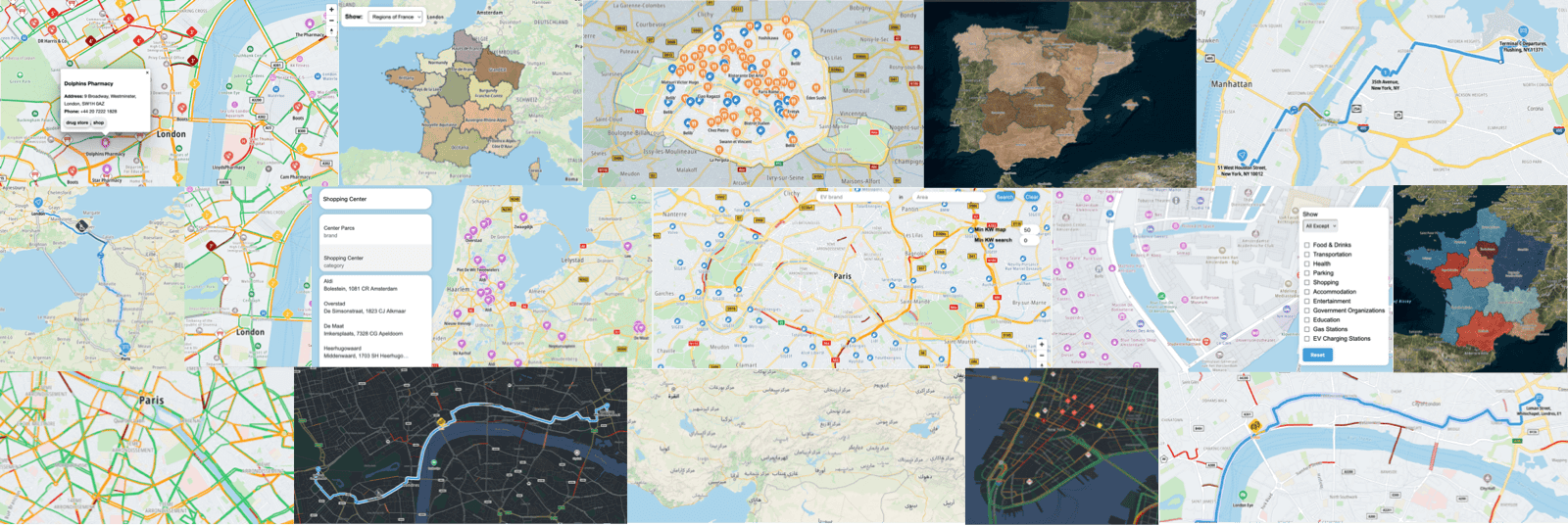
Maps SDK for JavaScript is a JavaScript/TypeScript library for building applications with TomTom maps and location APIs.
It's built on MapLibre GL JS and GeoJSON. TomTom maps and services work together out of the box, and the MapLibre map stays fully exposed, so its API and plugin ecosystem work alongside the SDK.
Some capabilities of the SDK are released under Public Preview to collect feedback from the community. The release notes list what changes in each release.
-
Get your TomTom API key at my.tomtom.com, following these instructions. Before you ship, decide where your API key runs.
-
Install the SDK:
# npm and Yarn install the peer dependencies for you
npm install @tomtom-org/maps-sdk

# pnpm does not, unless you ask it to
echo "auto-install-peers=true" >> .npmrc && pnpm add @tomtom-org/maps-sdk
-
Using an AI coding agent? Install the SDK skill in your project root, for Claude Code, Cursor, GitHub Copilot, Windsurf and many more:
npx skills add tomtom-international/maps-sdk-js --skill tomtom-maps-sdk-js tomtom-maps-sdk-js-feedback
The skill loads the SDK's patterns, coordinate conventions, service APIs and pitfalls into the agent's context, so the agent writes code against the real API instead of guessing it. Commit it so the whole team gets it. The optional
tomtom-maps-sdk-js-feedbackskill lets the agent report SDK problems it hits to TomTom, with your consent. AI coding with the SDK lists the topics it covers, how to invoke them and what a report holds. -
Start building. Services return GeoJSON, and map modules show it unchanged:
import { TomTomConfig } from '@tomtom-org/maps-sdk/core';
import { PlacesModule, RoutingModule, TomTomMap } from '@tomtom-org/maps-sdk/map';
import { calculateRoute, discoverPlaces } from '@tomtom-org/maps-sdk/services';

TomTomConfig.instance.put({ apiKey: 'YOUR_API_KEY', language: 'en-GB' });

const map = new TomTomMap({ mapLibre: { container: 'map', center: [4.9, 52.37], zoom: 12 } });

const places = await PlacesModule.create(map);
await places.show(await discoverPlaces({ query: 'coffee', geoBias: { position: [4.9, 52.37] } }));

const routing = await RoutingModule.create(map);
await routing.showRoutes(await calculateRoute({ locations: [[4.9, 52.37], [5.12, 52.09]] }));
Then follow the Map quickstart or the Services quickstart, or start from a runnable app in the examples gallery.
This repository is where your feedback on the SDK reaches the team that builds it:
- Open an issue to report a bug.
- Start a discussion for questions and feature requests.
- To report a security vulnerability, follow our security policy instead, which keeps it private. When we fix one, we publish a security advisory here and deprecate the affected versions on npm.
With the optional tomtom-maps-sdk-js-feedback skill from the quickstart, your coding agent drafts the report when the
SDK gets in its way, and posts it here only after you approve that draft.
The SDK installs from npm, and its sources aren't published here. This repository is a read-only mirror of an internal one, so it doesn't accept pull requests. It carries:
examples/: over 110 browser apps and Node.js scripts, and the best code to copy from- The AI coding skills that
npx skills addinstalls, under.claude/skills/ - The changelogs:
CHANGELOG.mdfor the SDK, andplugins/<name>/CHANGELOG.mdnext to each plugin'sREADME.md - A
v<version>tag for each SDK release, holding that release's skill and docs. Installing the skill covers the skill of an older SDK version, and the docs site shows the newest ones.
Requirements: Node.js 22.13+, pnpm 11+ (corepack enable) and a TomTom API key.
pnpm install
cp examples/.env.example examples/.env   # then set API_KEY_EXAMPLES

cd examples/default-map
pnpm develop                             # a Vite dev server, on http://localhost:5173
A Node.js example reads the key from the environment:
cd examples/nodejs-geocode
API_KEY_EXAMPLES=<your key> pnpm develop
A few examples need more than the one key; examples/.env.example lists each extra.
Each example installs the SDK and plugins at the versions they were last synced against, pinned in the catalog
of pnpm-workspace.yaml. Every example imports only @tomtom-org/maps-sdk/* and
@tomtom-org/maps-sdk-plugin-*, as your own app would. To reuse one, copy its src/ into a project that installs
those packages.
- Examples: all code in
examples/is open source under the Apache 2.0 license, in examples/LICENSE. Copy, modify and use it freely in your projects. - SDK packages and plugins:
@tomtom-org/maps-sdkand@tomtom-org/maps-sdk-plugin-*, which the examples install, are distributed under a proprietary license, in LICENSE.txt. Each plugin carries a copy asplugins/<name>/LICENSE.txt. They require a TomTom API key and agreement to our terms of service. Their third-party notices are in THIRD_PARTY.txt.