-
Notifications
You must be signed in to change notification settings - Fork 1.6k
zh usage knowledge readme
langbot-docs-sync[bot] edited this page Sep 4, 2026
·
2 revisions
LangBot 原生支持 RAG(Retrieval-Augmented Generation,即检索增强生成),您可以创建知识库,并将其与流水线绑定,流水线将根据知识库中的内容回答问题。
知识库由 RAG 引擎插件驱动,不同的 RAG 引擎提供不同的索引和检索策略。您可以在插件市场中查找可用的 RAG 引擎插件。
在知识库页面,点击创建知识库按钮:
- 填写知识库名称
- 选择一个 RAG 引擎(由已安装的插件提供)
- 根据所选引擎的配置表单填写相关参数(如嵌入模型、分块大小等)
- 点击
创建按钮
Note
不同的 RAG 引擎有不同的配置参数,具体取决于引擎的 creation_schema 定义。某些引擎可能需要先配置嵌入模型,请先阅读配置模型。
如果所选 RAG 引擎支持文档上传(声明了 DOC_INGESTION 能力),创建后请到知识库的"文档"页面,上传文档,LangBot 将会在后台开始解析和索引。
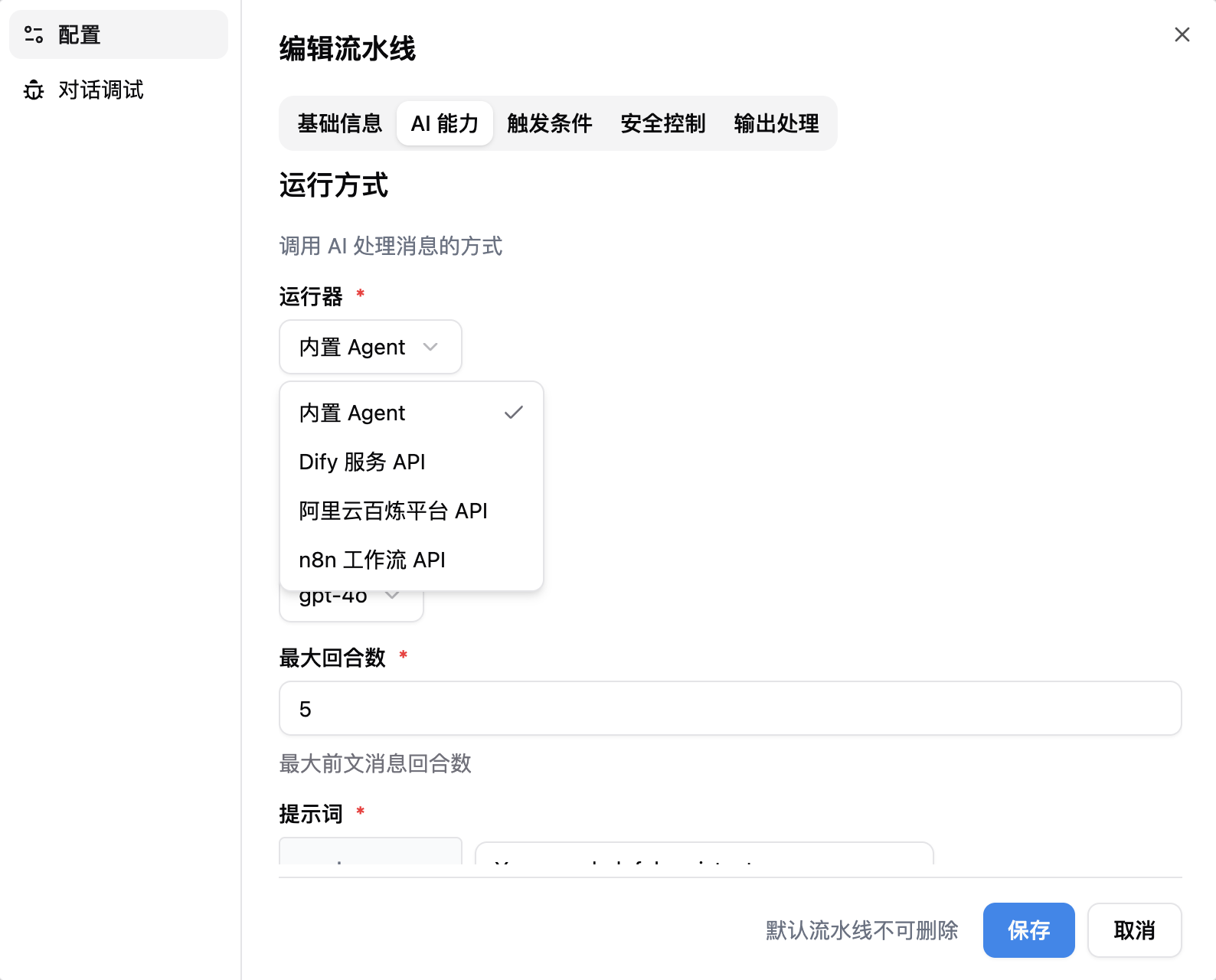
请到流水线配置中,"AI 能力"页,选择内置 Agent作为运行器,并在下方选择您刚刚创建的知识库。
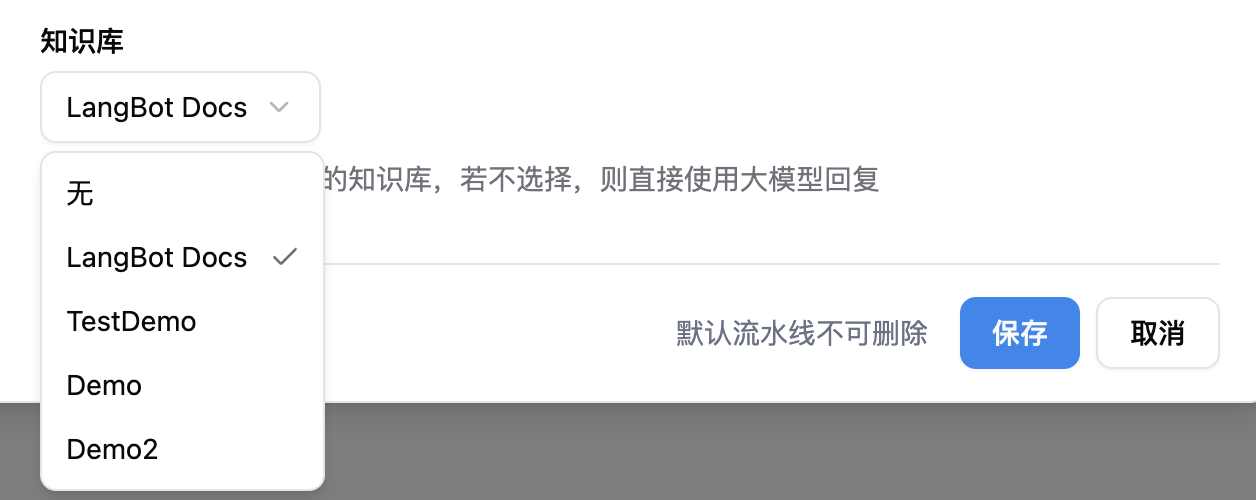
选择知识库后,您可以在下方配置重排序模型来提升检索质量:
- 重排序模型:选择已配置的 Rerank 模型(如未配置,请先到模型配置中添加)
- 重排序保留数量(Top-K):重排序后保留的最相关结果数量,默认为 5
Tip
重排序模型是可选的。配置后,知识库检索返回的候选文档会经过重排序模型重新打分,只保留最相关的 Top-K 条,再交给大模型回答,显著减少无关信息干扰。
Note
仅当运行器为内置 Agent时,才可以使用 LangBot 原生知识库,若要在使用其他运行器时使用知识库,请参考所使用的运行器对应产品的文档。
现在即可在对话调试或流水线所绑定的机器人上使用知识库进行对话:
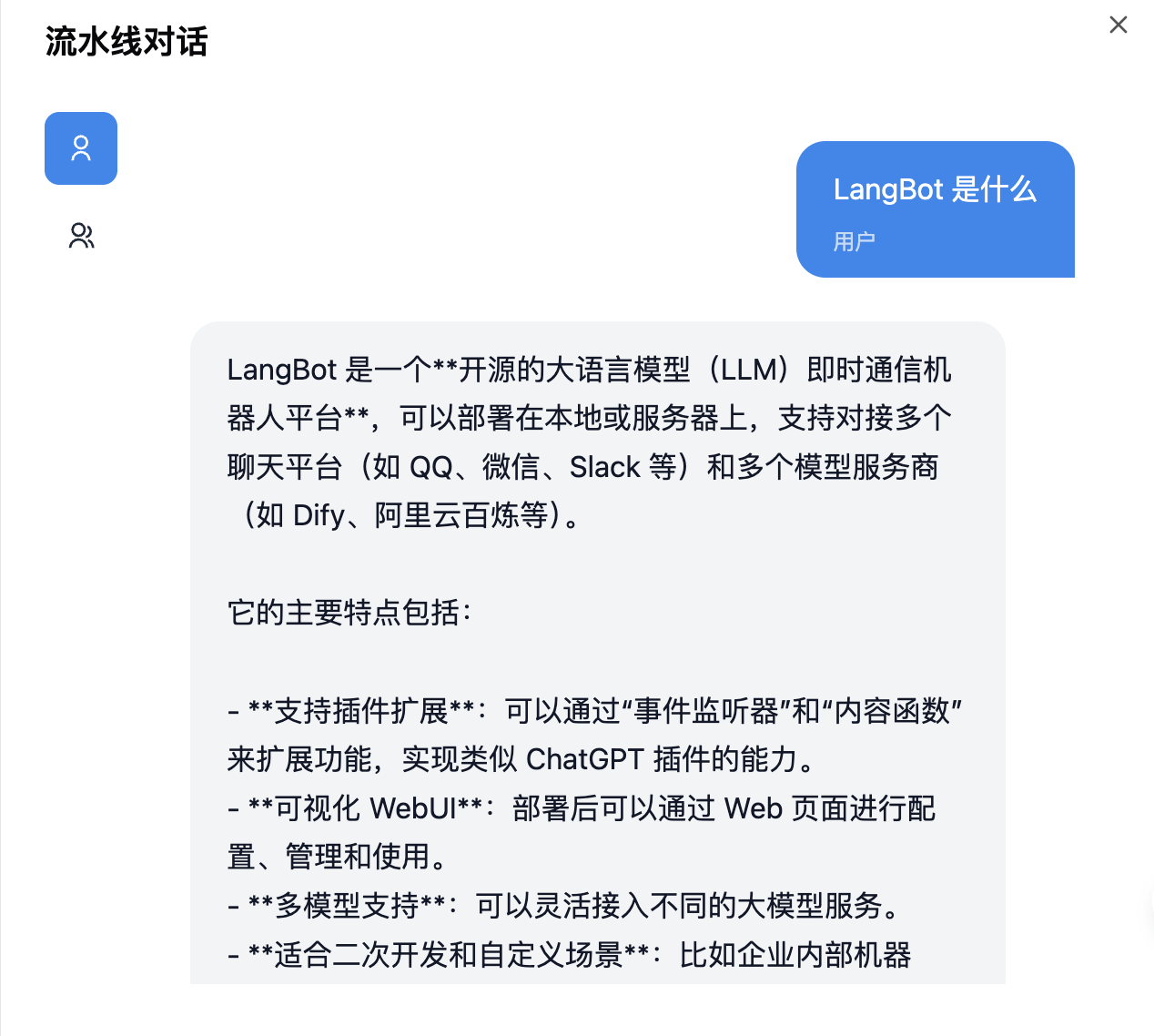
如果现有的知识引擎插件不能满足您的需求,您可以开发自己的知识引擎插件。请参阅组件:知识引擎了解开发方式。
Automatically synchronized from langbot-app/langbot-docs.
简体中文
指南
开发者
- 插件开发
- 插件 SDK API
- 核心开发
文章
- 浏览
- 产品动态
- 技术解析
- 教程与集成
- 公告
API 参考
- Service API
English
Guides
- Quick Start
- Installation
-
Configure Bots
- Bots
- Discord
- Telegram
- Slack
- Mattermost
- LINE
- Web Page Bot
- HTTP Bot
- KOOK
- Feishu
- DingTalk
- WeChat Official Account
- QQ (OneBot v11)
- Satori (QQ & Multi-Platform)
- QQ Official Bot
- WeCom (Enterprise WeChat)
- AI Configuration
- Advanced Operations
- Using Plugins
Developers
-
Plugin Development
- Certified Plugins
- Plugin Development Tutorial
- Completing Plugin Configuration Information
- Plugin Directory Structure
- Component Development
- Code Style Guide
- Migration Guide
- Publish Plugin
- Plugin SDK API
- Core Development
Articles
- Browse
- Product Updates
- Engineering
-
Tutorials & Integrations
- LangTARS: Open-Source AI Agent for Remote PC Control — Works with Dify, n8n & 10+ Messaging Platforms
- How to Connect DeepSeek R1 to WeChat, Discord & Telegram in 5 Minutes (FREE)
- Deploy Your Own AI Bot to Discord, Telegram & WeChat in 5 Minutes
- Finally Got My Dify Agent Working in Discord, Telegram and Slack
- How I Built a Multi-Platform AI Bot with Langflow's Drag-and-Drop Workflows
- How I Built a Multi-Platform AI Chatbot with n8n and LangBot
- LangBot 4.6.0 External Knowledge Base Tutorial: Integrating Dify with LangBot for RAG-powered Conversations
- Announcements
API Reference
- Service API
Other pages
日本語
ガイド
開発者
- プラグイン開発
- プラグイン SDK API
- コア開発
記事
- 一覧
- 製品アップデート
- エンジニアリング
-
チュートリアルと連携
- LangTARS:Dify・n8n と連携するオープンソース PC 操作 Agent
- DeepSeek R1 を WeChat・Discord・Telegram に5分で接続する方法
- AI Bot を Discord・Telegram・WeChat に5分でデプロイ
- Dify Agent を Discord・Telegram・Slack で動かす
- Langflow のドラッグ&ドロップでマルチプラットフォーム AI Bot を構築
- n8n と LangBot でマルチプラットフォーム AI Chatbot を構築
- LangBot 4.6.0 外部ナレッジベース入門:Dify と連携した RAG 会話
- お知らせ
API リファレンス
- Service API